
What is the cheapest way to get Google Workspace? (A 2026 Guide)
When I first started helping teams transition to the Google Workspace at Googally, the most common fear I heard from business owners was the "Google Tax." They knew they needed professional branding like name@company.com, but they were worried that once they started paying for Google Workspace, the costs would spiral as their team grew.
I’ve been there myself. I remember when Google Workspace (formerly G Suite) had a "Legacy Free" edition. I’ve seen the confusion firsthand when Google ended those free accounts, leaving everyone wondering: "Is there any way to keep this free?"
So, what is the cheapest way to get Google Workspace today?
The most affordable official way to run a professional business on Google in 2026 is the Business Starter plan, which currently costs $7 per user per month when billed annually. While there is no longer a "forever free" version for for-profit businesses, I can show you how to use a partner discount and smart configuration hacks (like Google Groups) to cut those costs by up to 15–50% in your first year.
Is there a way to get Google Workspace for free?
I get asked this every single week. I wish I had better news, but if you are a for-profit business, Google Workspace is no longer free. Google officially retired the free legacy edition in 2022 to focus on building a more secure, AI-powered platform.
The "Legacy Free" era is over
I see a lot of people searching for "Can I have a Google business account for free?" or "Do I really have to pay for Gmail storage?" The truth is, if you want your own domain name (not @gmail.com), you have to pay the subscription.
Non-profit and Education exceptions
The only real exceptions I’ve found are:
- Google for Nonprofits: If you’re a registered 501(c)(3), I can show you how to get the Starter features for $0 per month.
- Google Workspace for Education: Accredited schools still have access to a free tier for students and staff.
The "Collaborative Inbox" Secret: Saving Money with Google Groups
One of the biggest mistakes I see is small businesses creating a separate user license for every generic email they need, like info@company.com or sales@company.com. They pay $21 a month for three inboxes when they should be paying $7.
Stop paying for extra licenses
My advice? Don't pay for extra licenses. Use Google Groups. A Google Group can act as a free Collaborative Inbox. You can set it up so that emails sent to support@company.com arrive in the inboxes of multiple team members automatically. It’s completely free and included in your Workspace subscription.
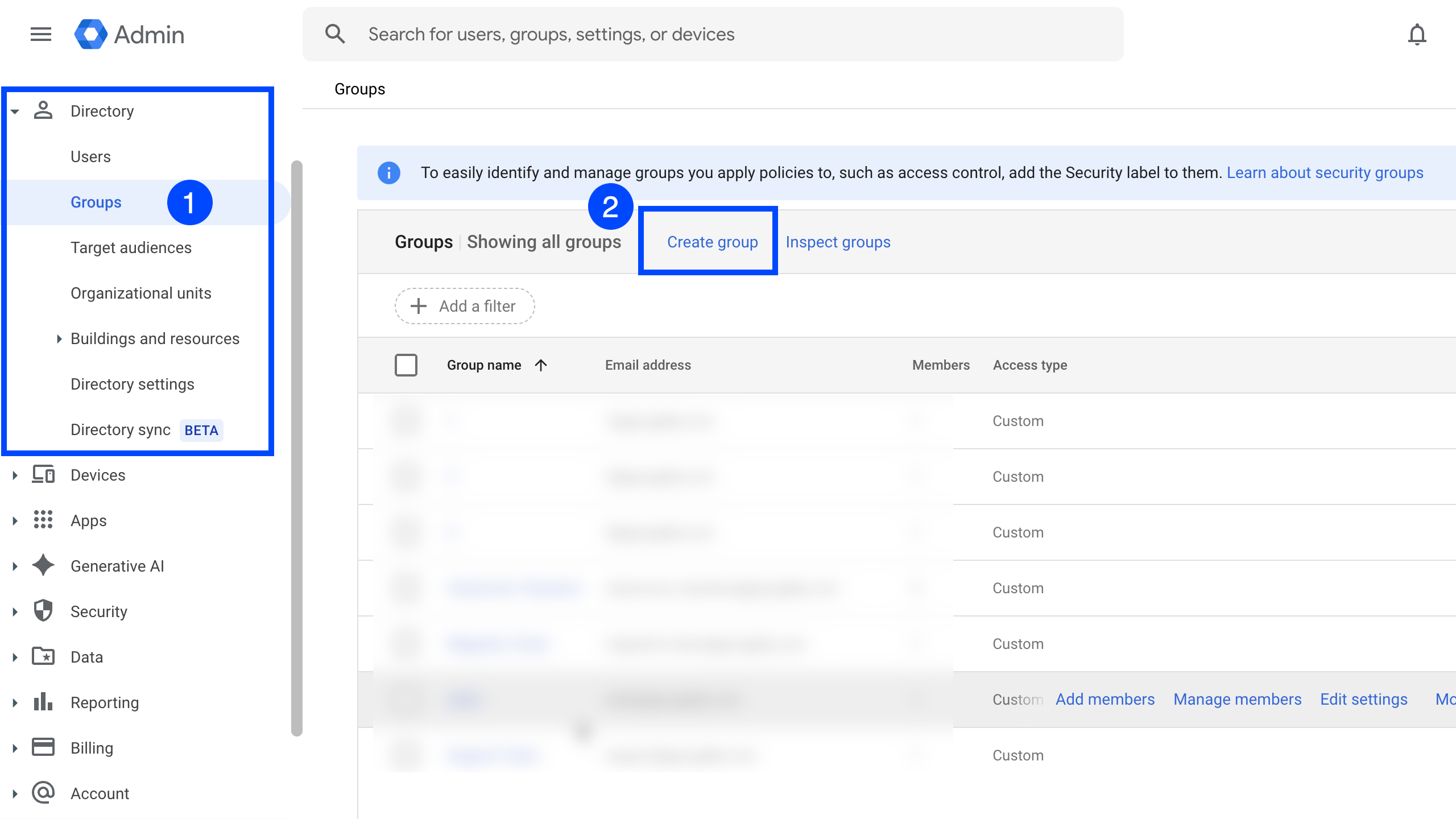
You can do this by first creating a group in Google Workspace Admin Console as shown below.
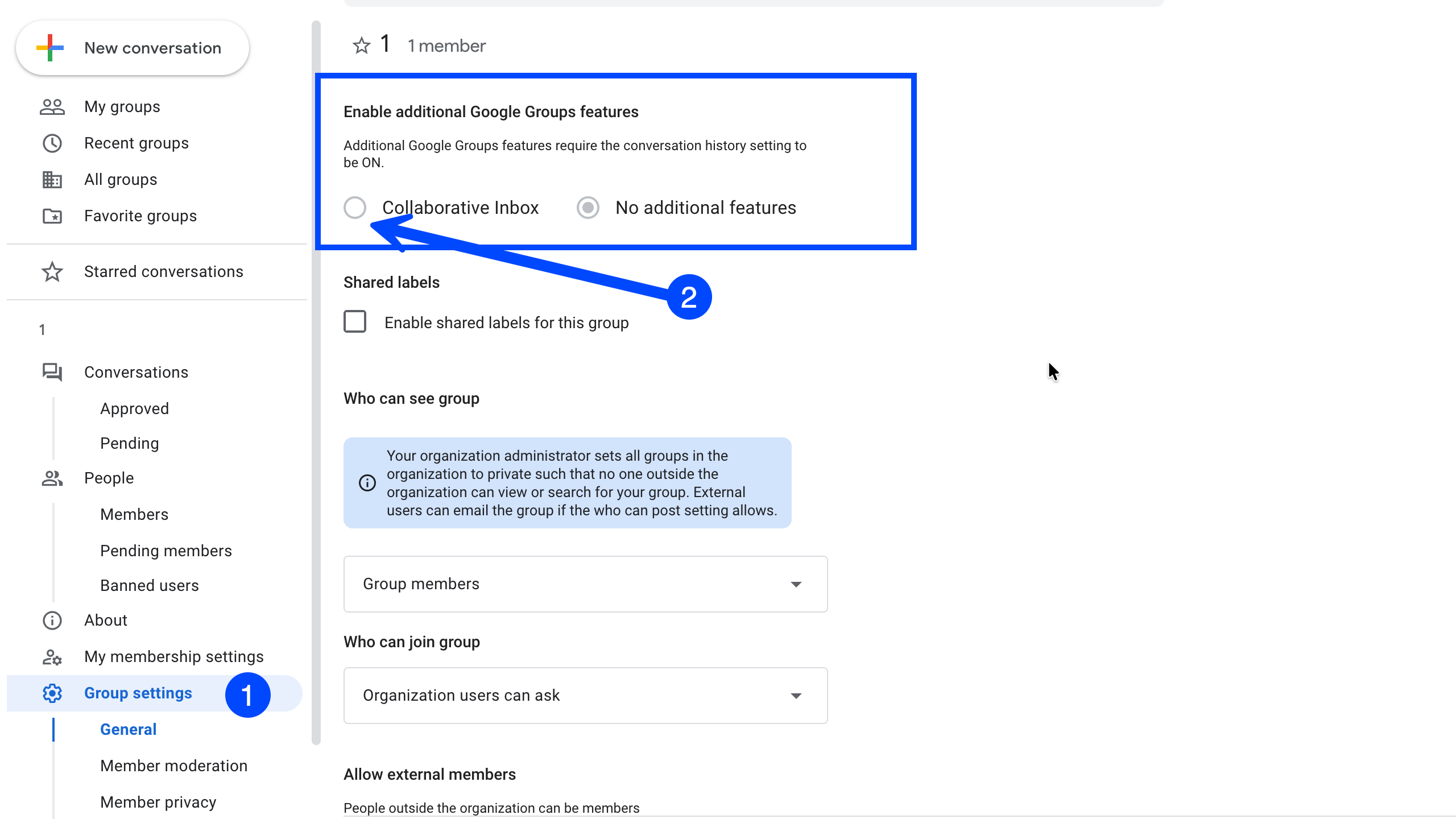
and then convering this group to a collaborative Inbox.
Aliases vs. Groups
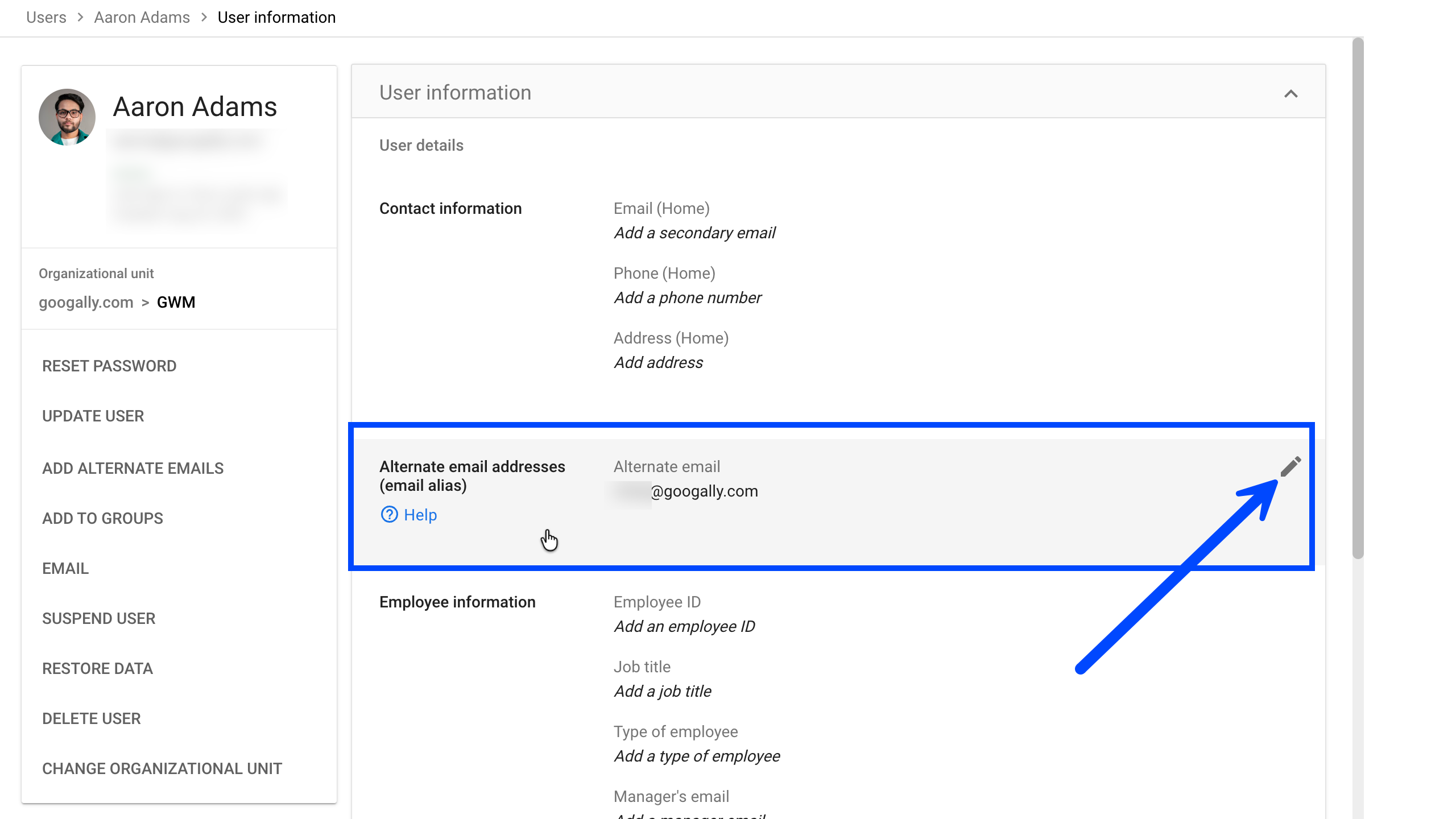
I have a more detailed blog post on my website about aliases vs. groups, but the general rule is: use Aliases if only one person needs to see the mail, and use Groups if a team needs to collaborate on it. This will help you save on unnecessary licenses.
Get an Official Partner Discount for Your First Year
If you are a new Google Workspace customer, you should never pay full price for your first year. As an official Google partner we can pass on an exclusive discount, but you have to apply it before you enter your billing information to get the trial benefits.
How partner discounts work
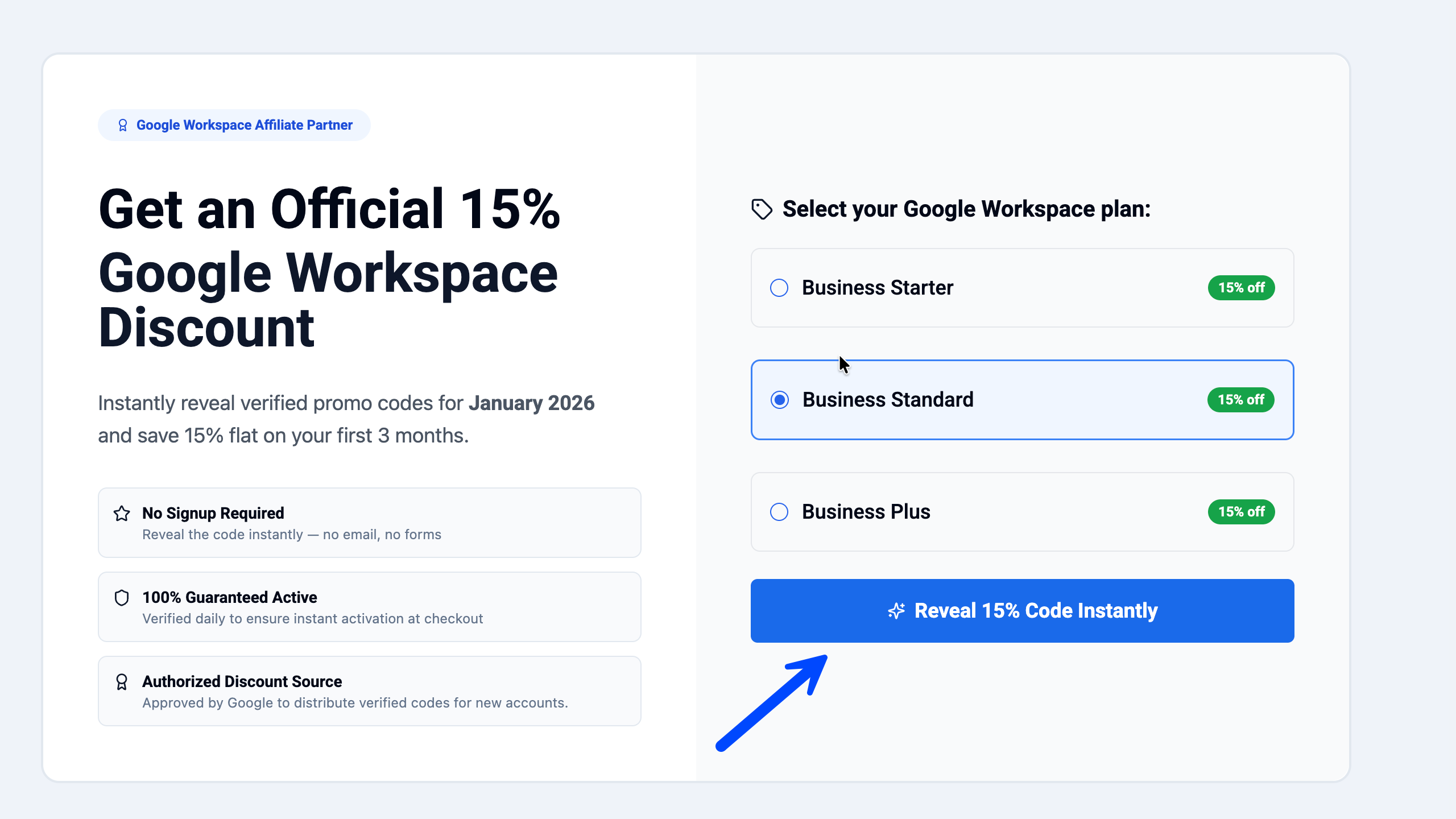
At Googally, we are official Google partners, which means we can offer an exclusive 15% off for your first 3 months on the Business Starter, Standard, and Plus plans. Grab your Google Workspace promo code and follow the step-by-step guide showing exactly where to paste it during checkout.
Starter vs. Standard: Which "Budget" Plan is Best?
Another common pitfall is signing up for the Business Standard ($14/mo) plan right away because people think they need the "Most Popular" choice without comparing the differences in these subscription plans.
My advice? Start with a Business Starter. Most 1–5 person teams don't actually need 2TB of storage or meeting recordings in their first year. By starting on the $7 Starter plan, you’re saving $84 per user per year. You can always upgrade later if you outgrow the 30GB limit. Of course this recommendation is not specific, so if you know that you need some featrues in business standard plan on day one, then sure, go for that.
I have written more about it in my best Google Workspace plan blog post.
Strategic Tips to Lower Your Monthly Bill
- Annual vs. Flexible Billing: Committing to an annual plan lowers your monthly rate to $7, while the Flexible plan can be higher (e.g 8.40).
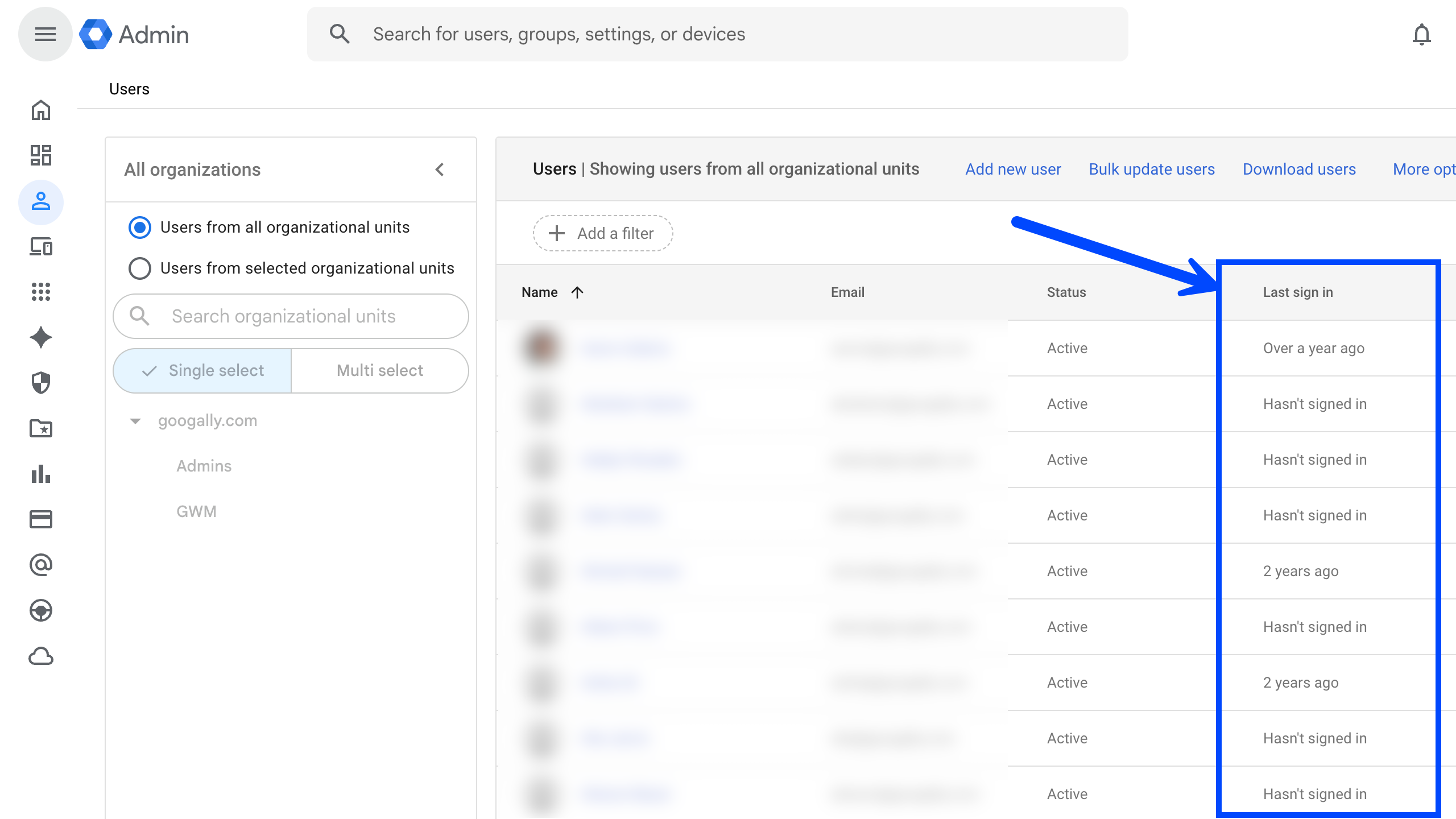
- Audit Your "Ghost Users": Every few months, I go through my admin console and look for people who are no longer with the team to stop paying for accounts you no longer use.
Frequently Asked Questions (FAQ)
How much is Google Workspace for just 1 person? For a single user, the lowest price is the Business Starter plan at $7 per month with an annual commitment. You can use our Google Workspace promo code to bring this down 15% for your first 3 months.
Can I use my personal email for Google Workspace? No. To use Workspace, you need a custom domain (example .com). You won't get the professional branding or the admin security controls with a personal account — you can read more about why you should upgrade from Gmail to Google Workspace in my detailed blog post.
Is Microsoft 365 cheaper than Google Workspace? On paper, both start around $7 per user. While Microsoft includes 1TB of storage, I still recommend Google for small teams because the ease of management saves you on IT support costs.
Can I cancel Google Workspace but keep my email? No. Your professional email address is tied to your active subscription. If you cancel, your inbox will be deactivated.
Related Posts
Explore Tips and Guides! Discover expert insights and practical guides for optimizing your Google Workspace experience with our informative resources.













.png)
.png)
.png)
.png)
.png)
.png)
.png)
.png)


.png)
.png)

.png)




.png)
.png)


.png)


