
How to Cancel Google Workspace Subscription (2026 Guide)
To cancel Google Workspace, you will need to login to your Google Workspace Administrator Console as a Super Administrator, then go to your subscriptions under Billing, agree to cancellation terms to confirm cancellation.
As part of Googally (a Google Partner), I have worked with hundreds of Google Workspace customers, and sometimes it includes cancellation of their subscription too, and I always prefer to ask them for the cancellation reason to check whether other options are available.
If you want to cancel because you are finding the pricing high, then I can confidently tell you (based on experience) that you will not find an alternative product which offers such robust messaging and collaboration suite that users love to use because of its simplicity.
There are certainly creative options available to lower your monthly recurring cost on Google Workspace like using Google Groups, Email Aliases, discount coupons, managing your licenses smartly etc.
Pro Tip : There is also a very less known (free) subscription by Google which allows you to still cancel your Workspace subscription but keep your domain registered and verified with Google. If you have really decided to cancel your subscription, I would highly recommend you to consider this.
This subscription is called Google Cloud Identity which comes in free & premium subscriptions, however you would be good with the free version (which gives you 50 free users). Cloud Identity allows you to create your managed Google Users (just like Google Workspace). These users can collaborate on Google Drive Files (shared with them) like docs, sheets, slides & also join Google Meet meetings etc.
To summarize, first add (free) Cloud Identity subscription to your account, then cancel your Google Workspace subscription, and you would be left with Cloud Identity. This way you are not paying anything, but still retaining your account with Google, so in future if you come back to Google Workspace, you don’t need to go through the domain registration, domain verification process etc.
Now, based on the above information, you can make an informed decision, but if you still want to cancel your Google Workspace subscription (and also optionally delete your account), then let me walk you through the step by step process.
Requirements (and recommendations) for cancellation:
- You must be a Google Workspace Super Administrator.
- You should (highly recommended) back up or transfer your existing data (e.g Emails, calendar events, contacts, docs / files etc). Please keep in mind that once you delete your subscription, all your data would be gone. Fortunately, Google provides a free tool called which helps you export all your data. You can learn more about this tool called Google Takeout here.
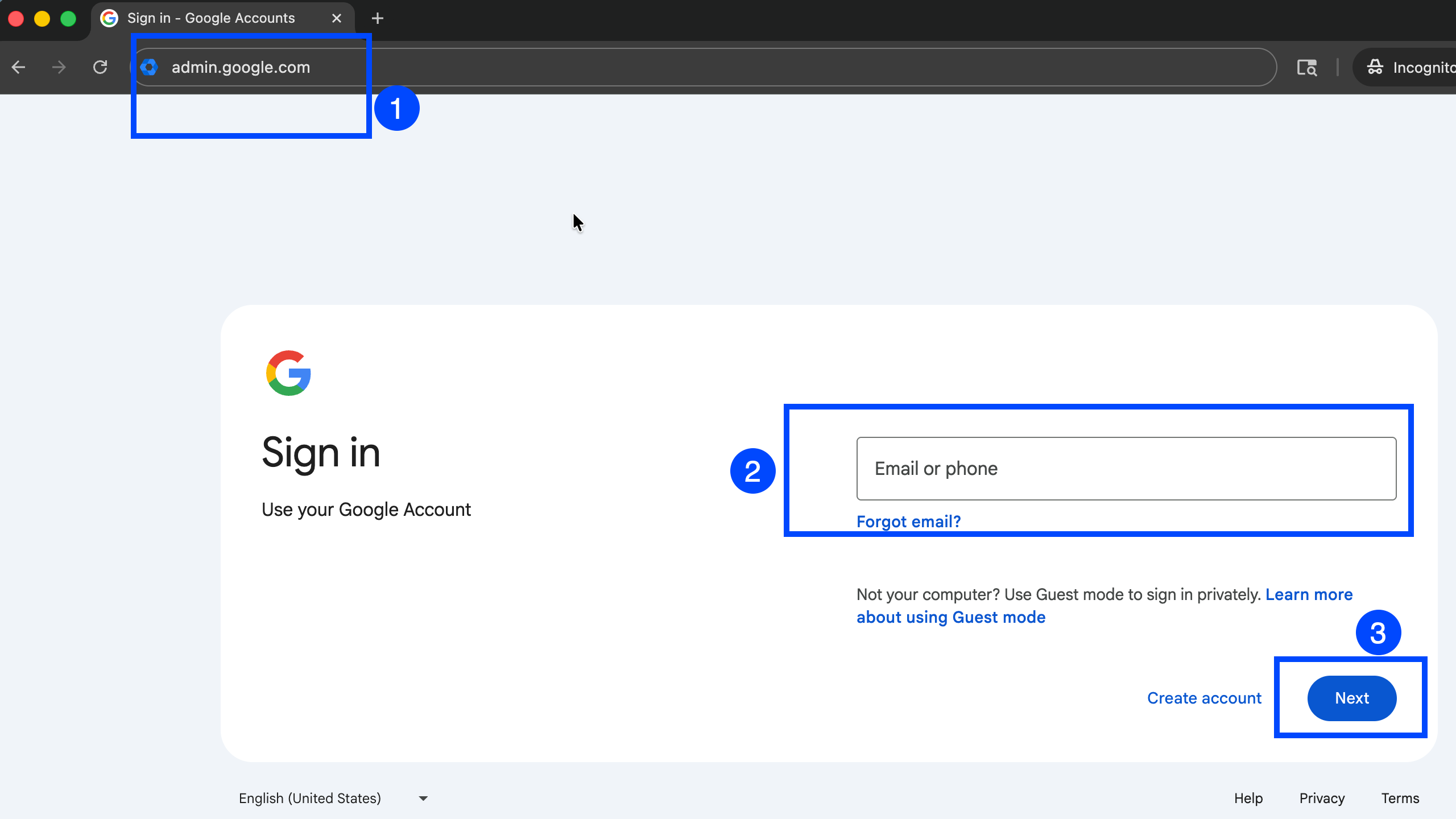
Step 1 : Login to Google Workspace Admin Console
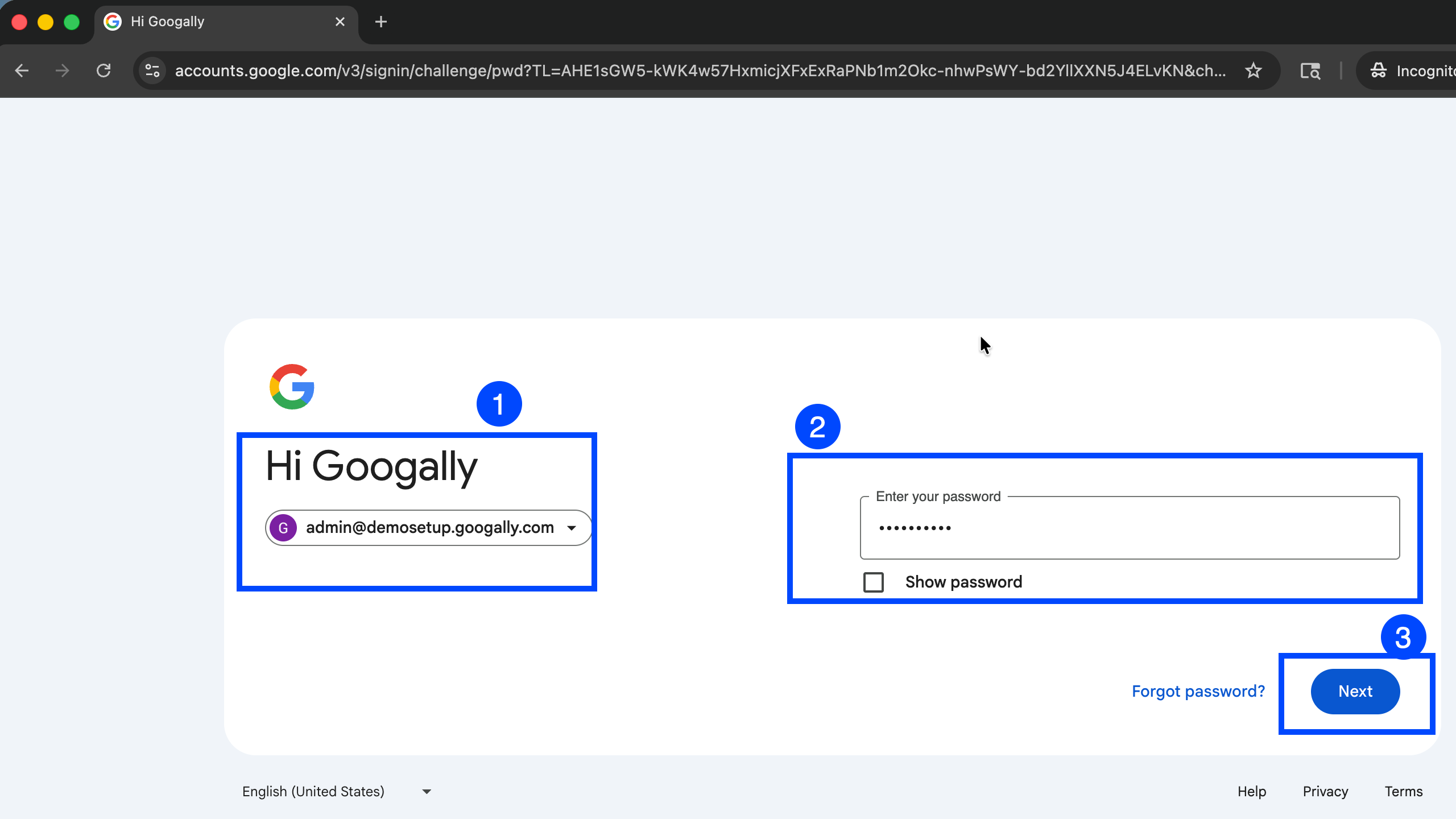
You must login to Google Workspace Admin Console (admin.google.com) with your Super Administrator account.
Step 2 : Go to Subscriptions
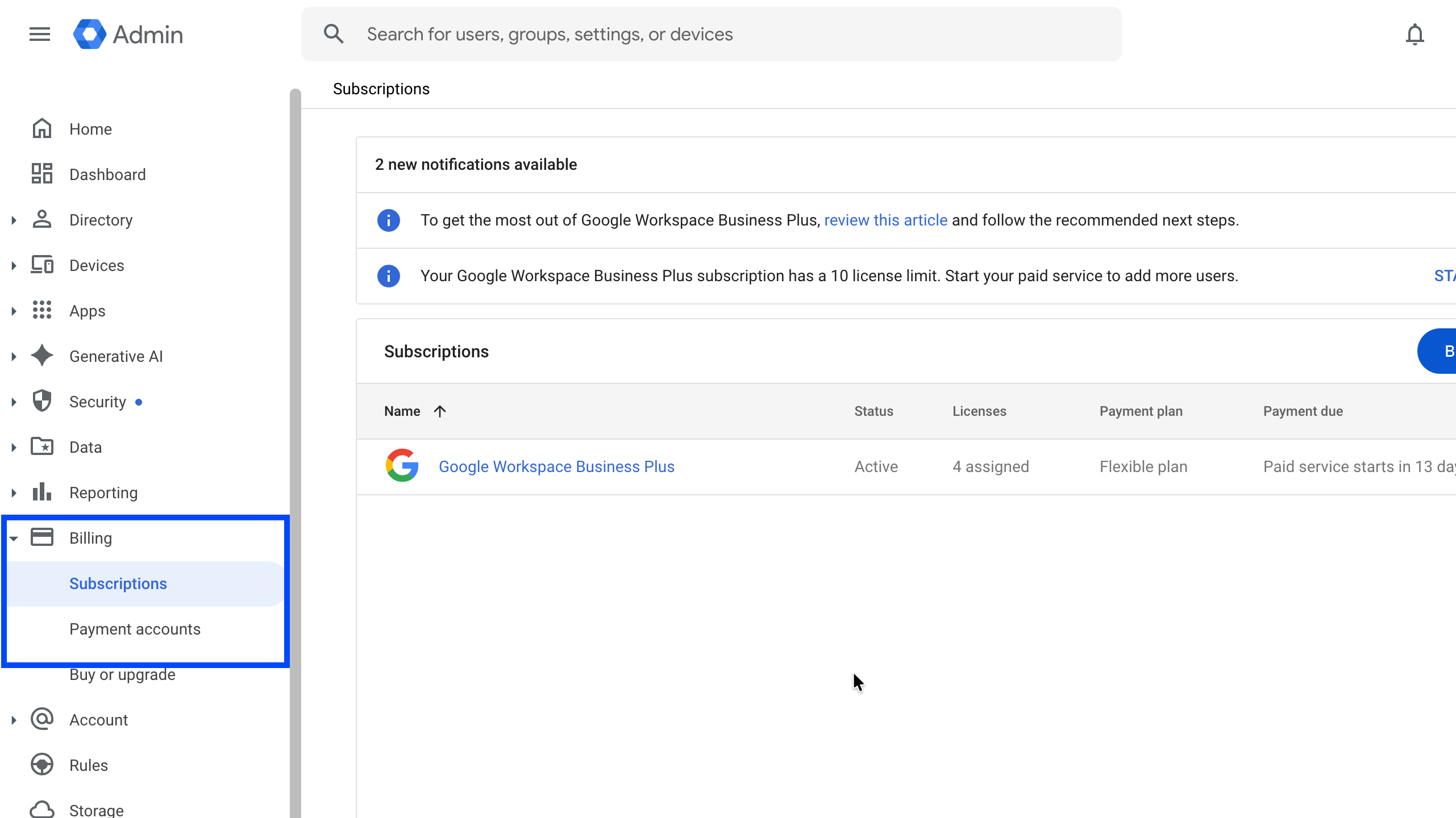
Please navigate to the Billing section (as shown in the screenshot below and click on Subscriptions, here you will see your Google Workspace subscriptions. The cancellation process is the same regarding of your subscription plan (e.g. Business Starter, Standard or Plus).
Step : 4 Click on your Subscription.
You might have multiple subscriptions, to cancel the required subscription, click on it.
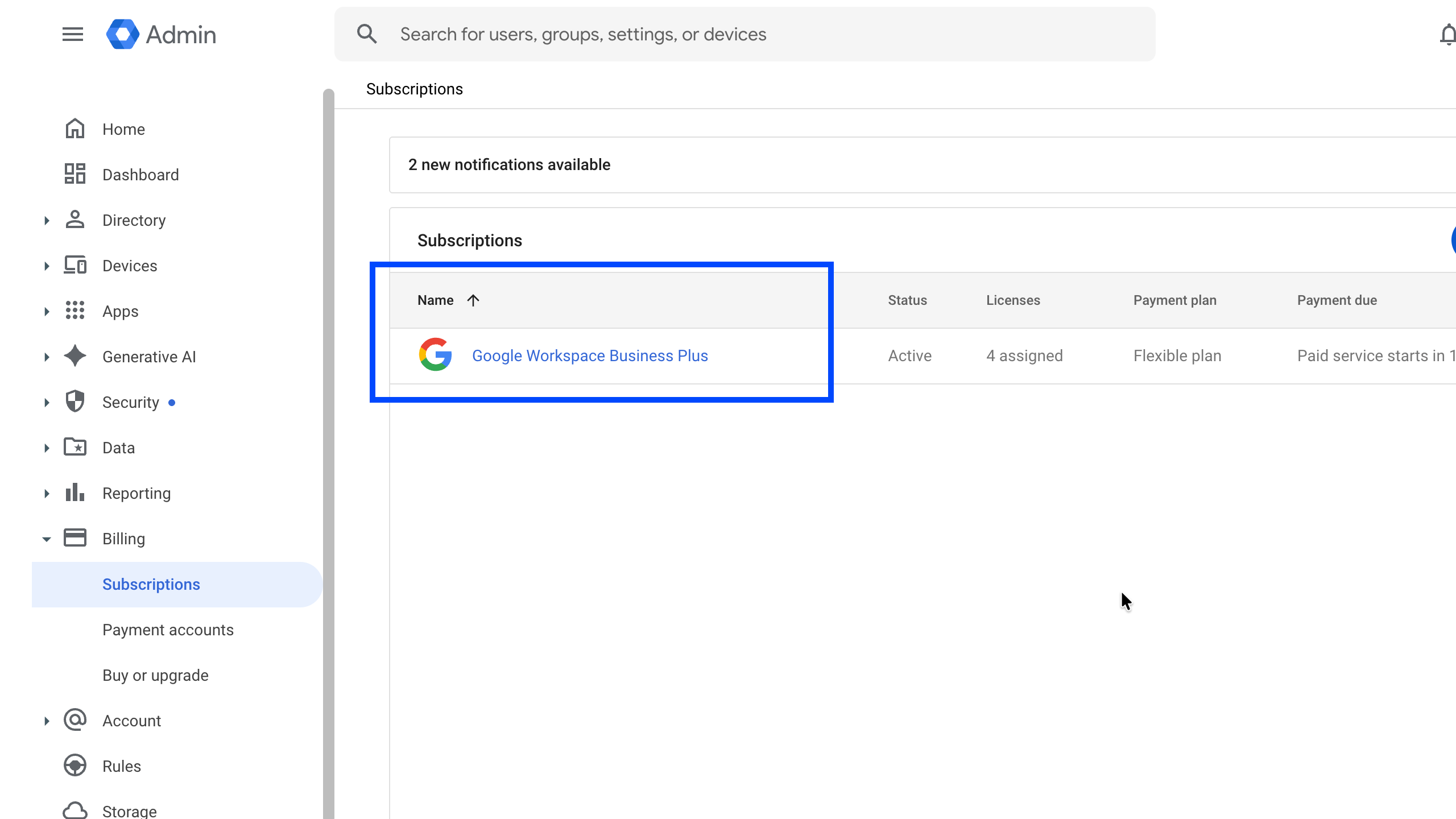
Please note that you can not cancel your Google Workspace subscription if you have an active Google Voice subscription. You will need to cancel the Voice subscription first.
Step 5 : Under your subscription options, click on More button and you will see cancellation option.
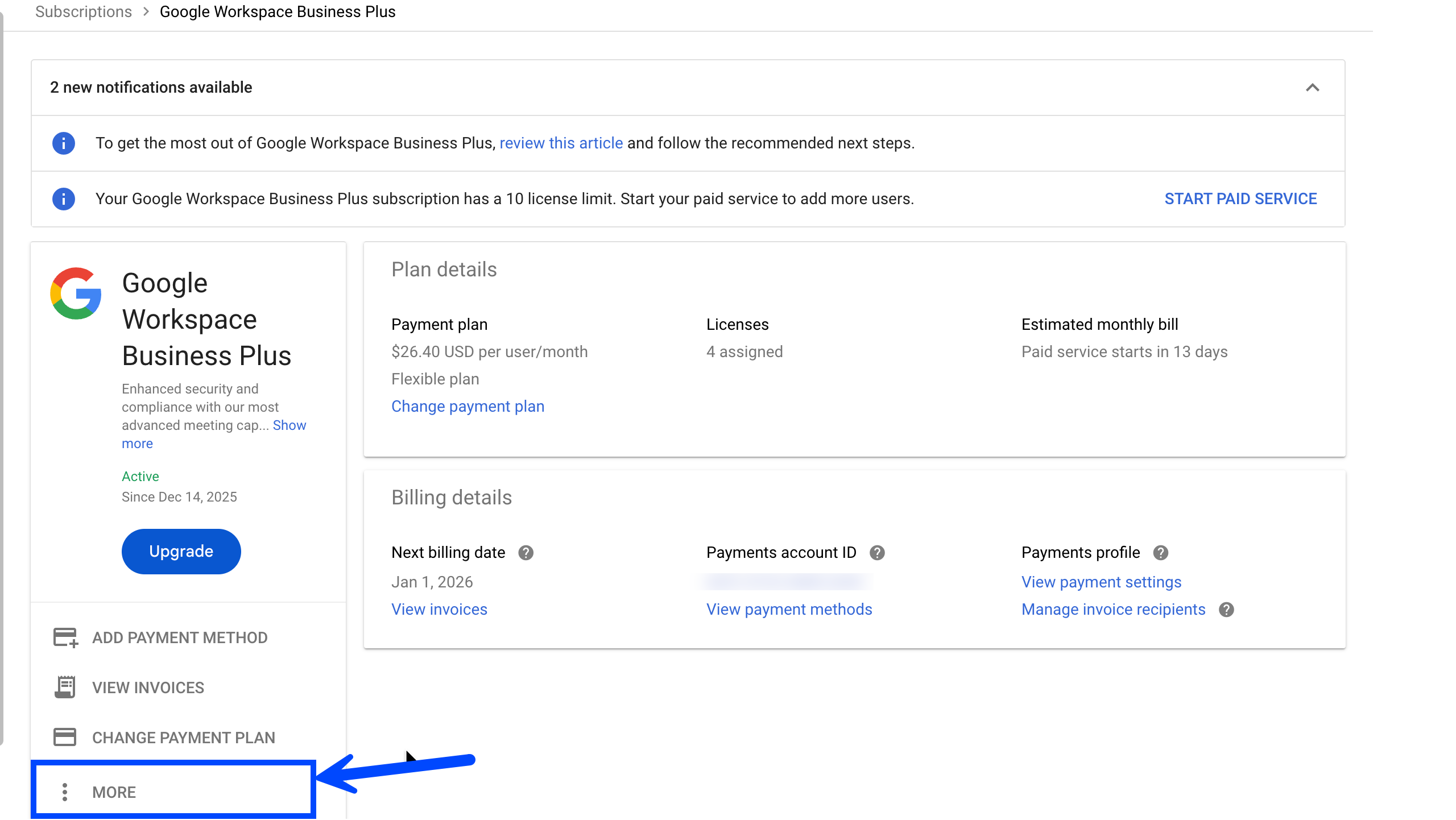
Now click on the cancel subscription button.
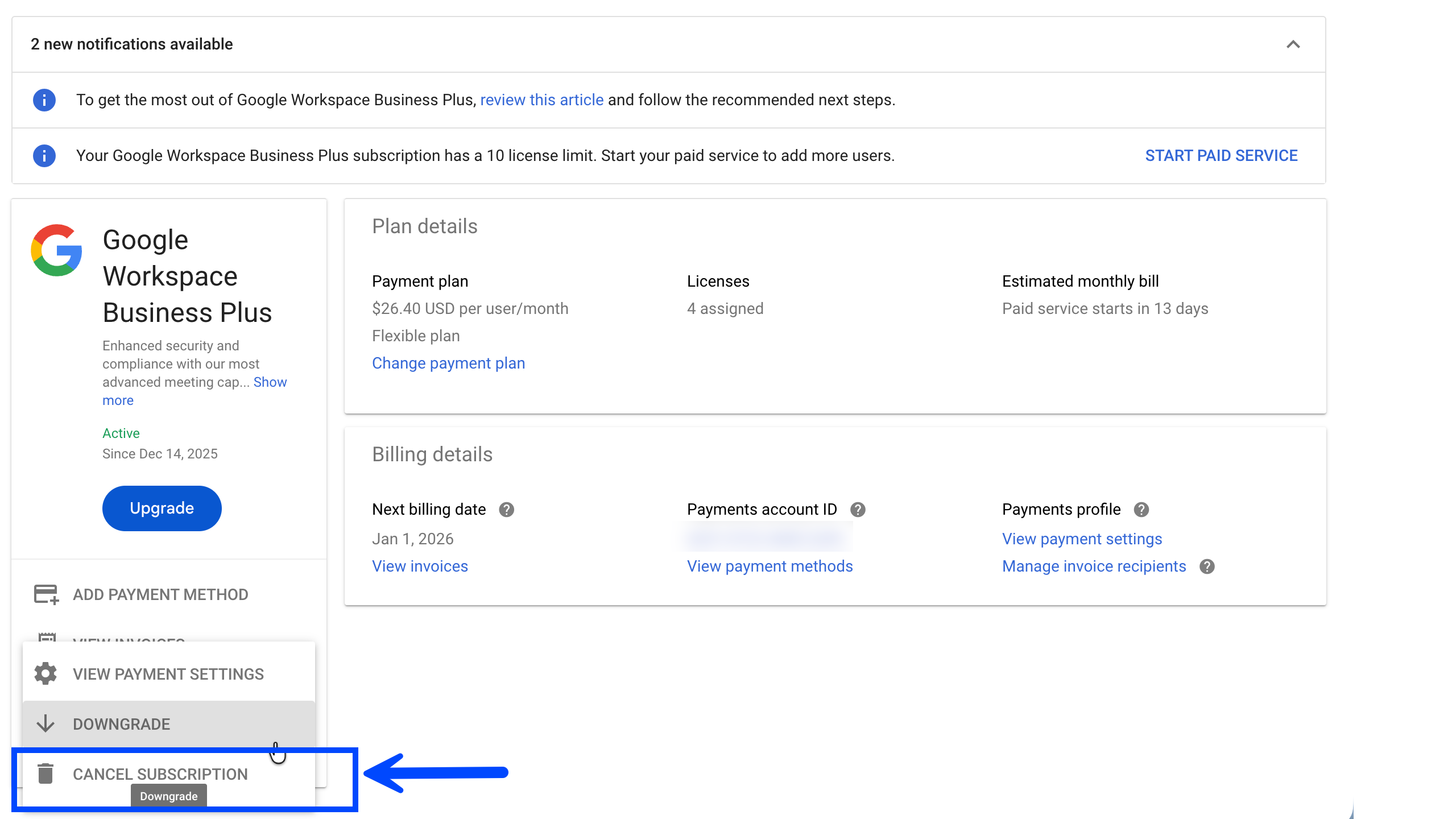
You need to choose or specify the cancellation reason and then click on the continue button.

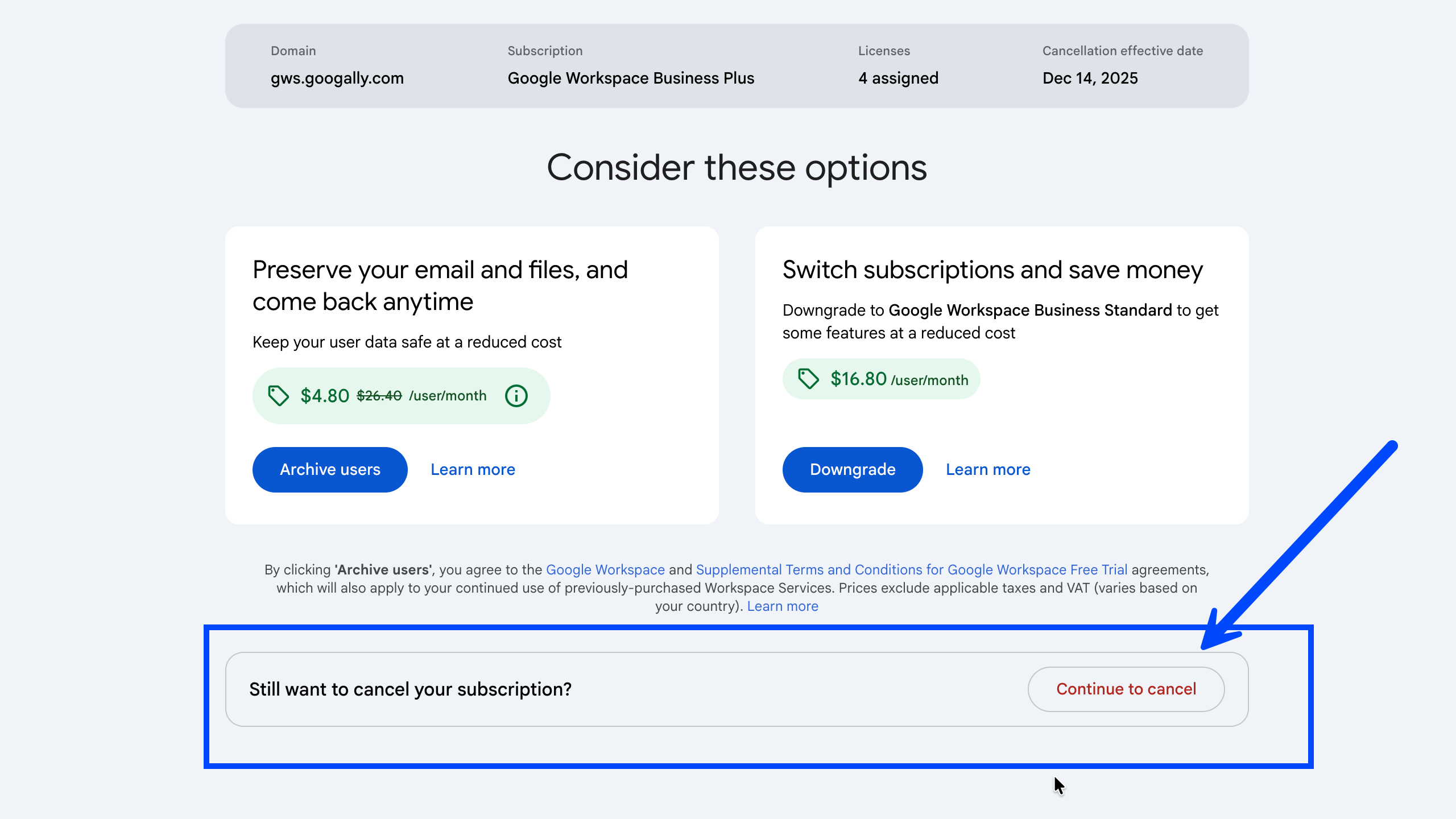
Google will now warn you about the impacts of your Workspace subscription cancellation.
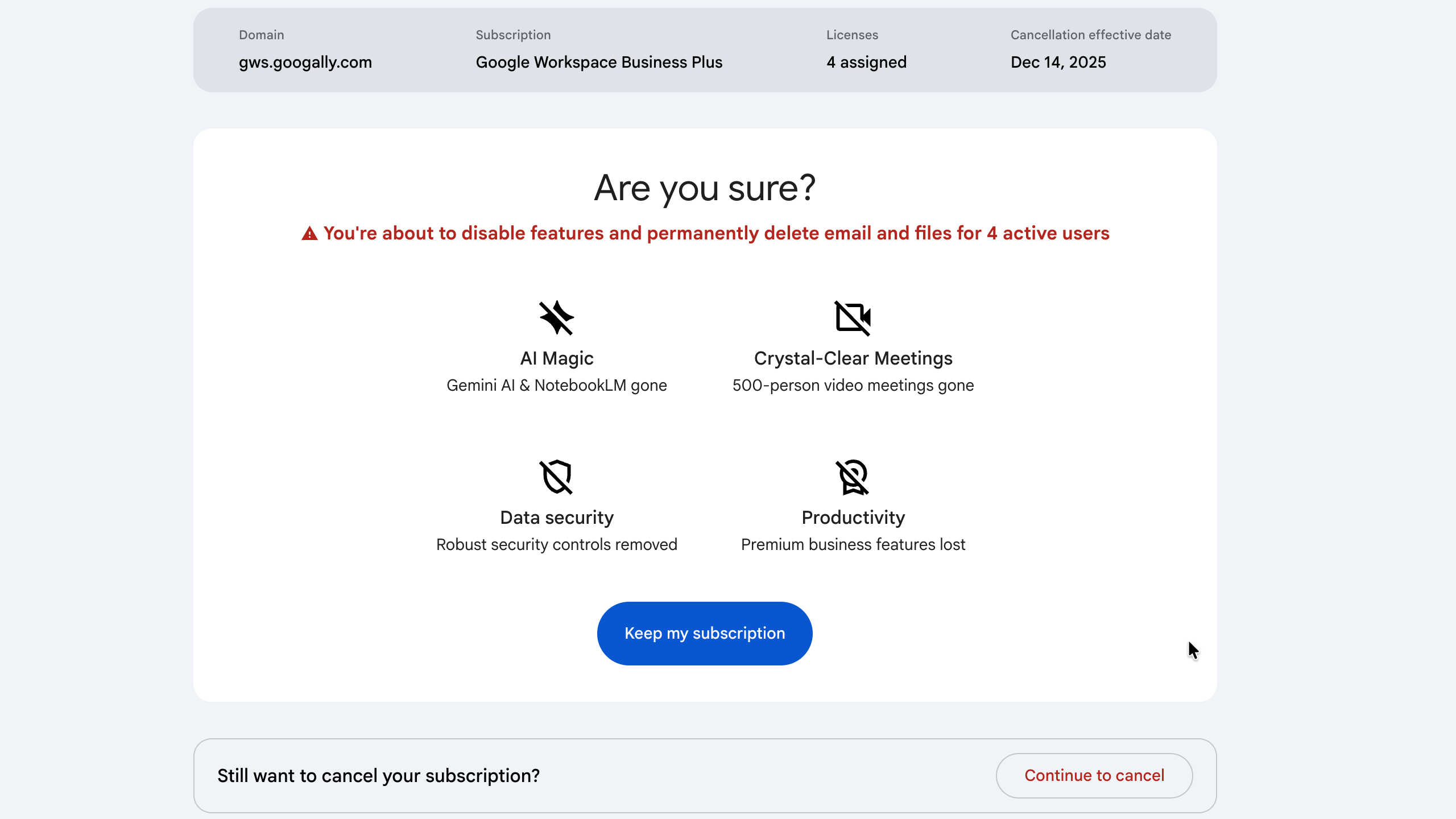
Depending on your subscription plan, Google may offer you alternatives like downgrading to a lower price plan (e.g. Business to Starter) or archive the users to save cost. You can click on continue to cancel button if still determined to cancel.
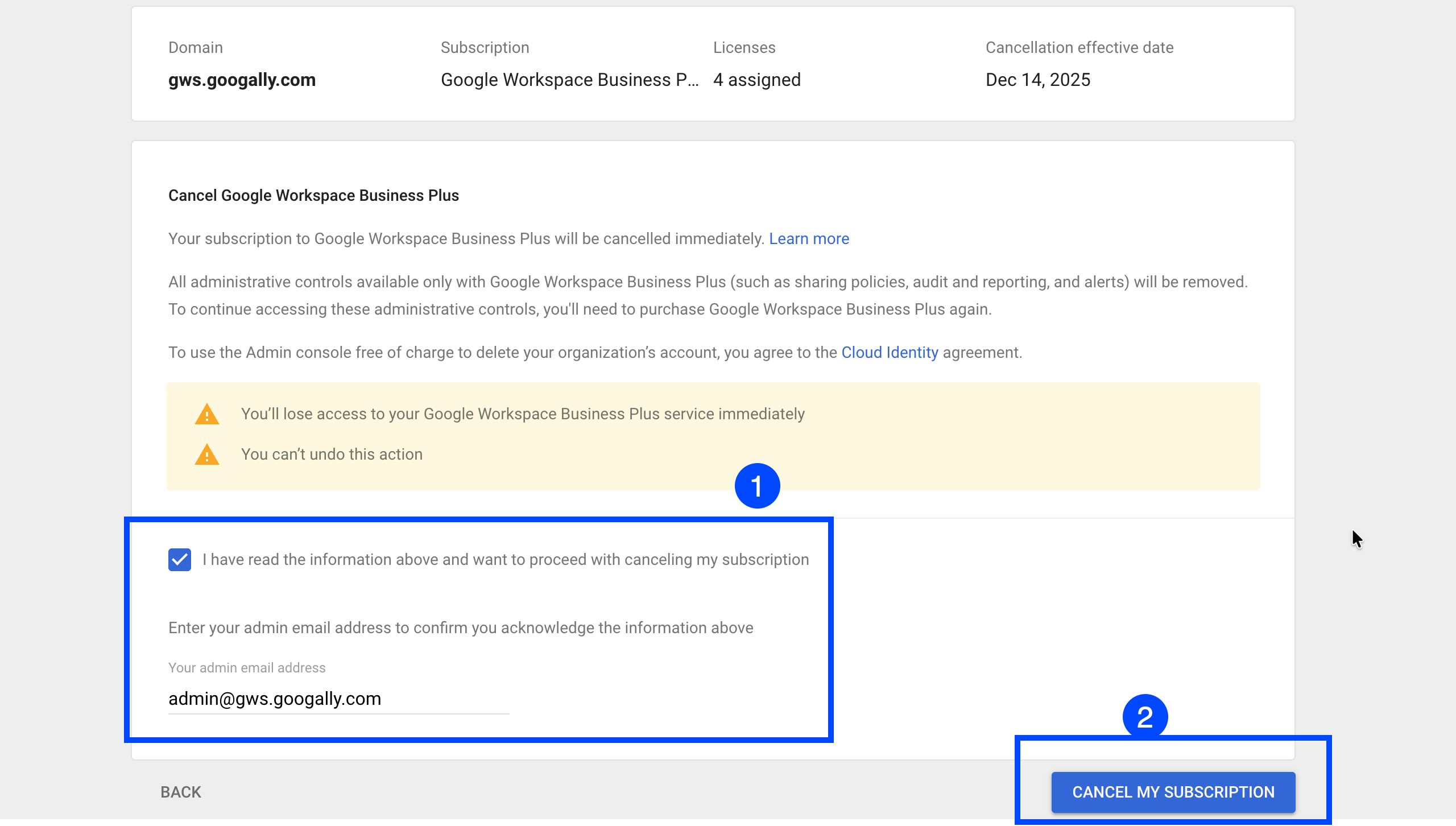
Step 6 : Confirm the cancellation.
This is your final step to cancel your Google Workspace cancellation where you will need to agree to cancellation impact and also put your Administrator email address and click on cancel my subscription button as shown in this screenshot.
Please note, after clicking this button your subscription will be cancelled and there is no undo option, so please proceed if you are 100% sure to cancel.
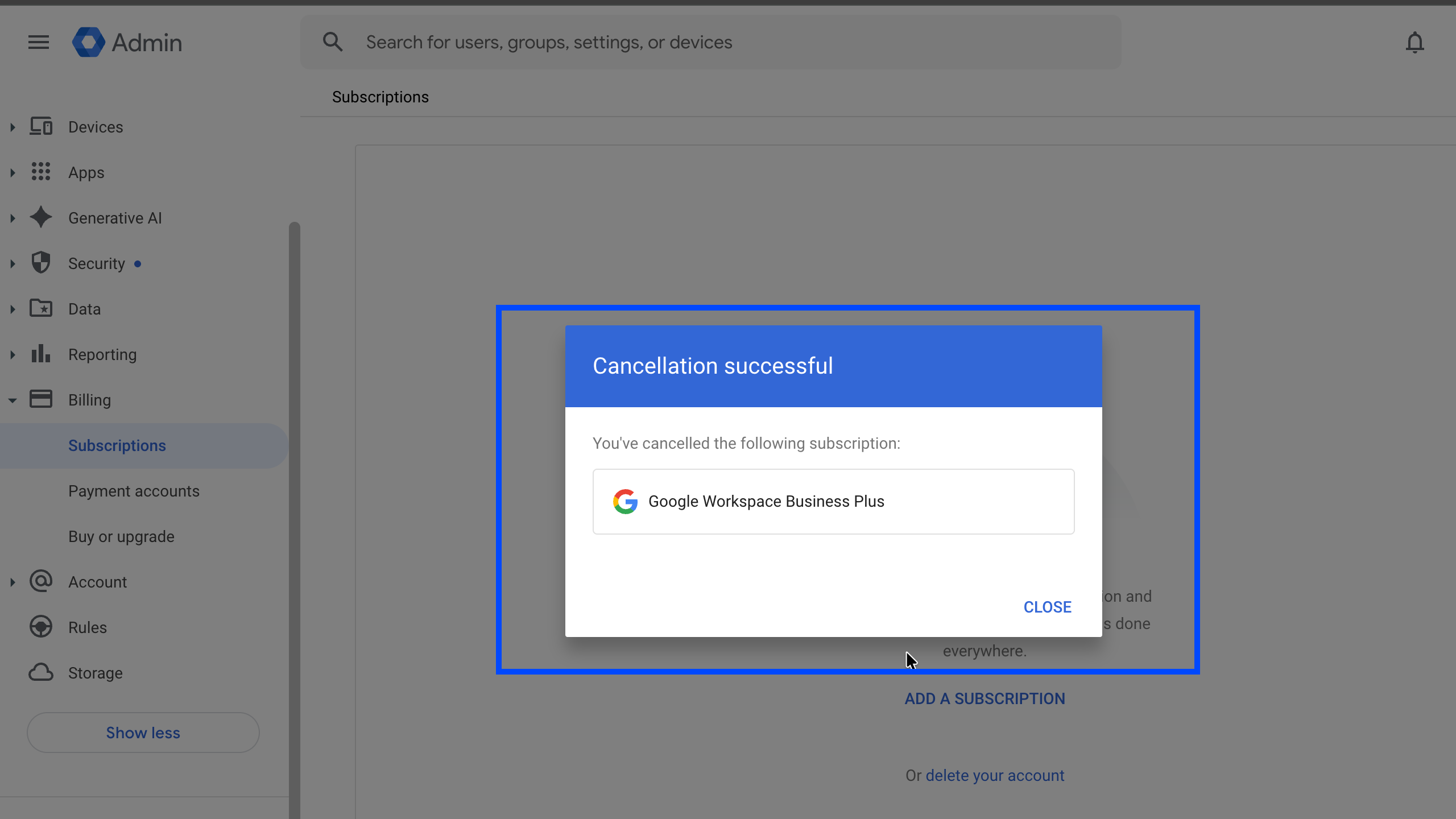
You will see the cancellation confirmation now, Your subscription has now been cancelled.
How to delete your Google Workspace account:
Though you can leave it right here as your Workspace subscription has been cancelled, you can at least retain your account if you plan to come back to subscribe in the future (or consider adding Cloud Identity free subscription).
However, because of any reason, you really want to delete your account, then follow the steps below.
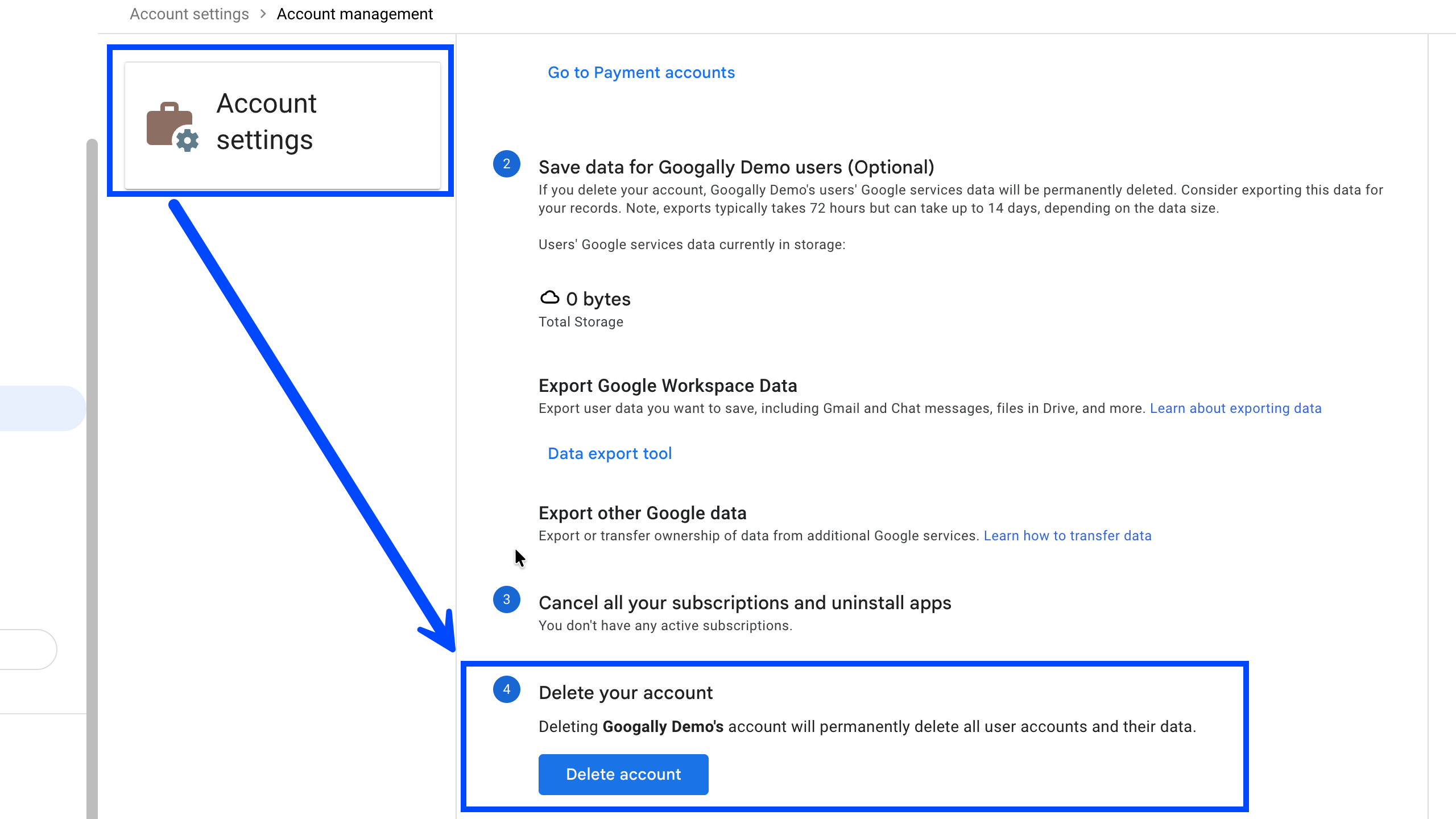
Step 1 : From the Admin Console, go to Account Settings.
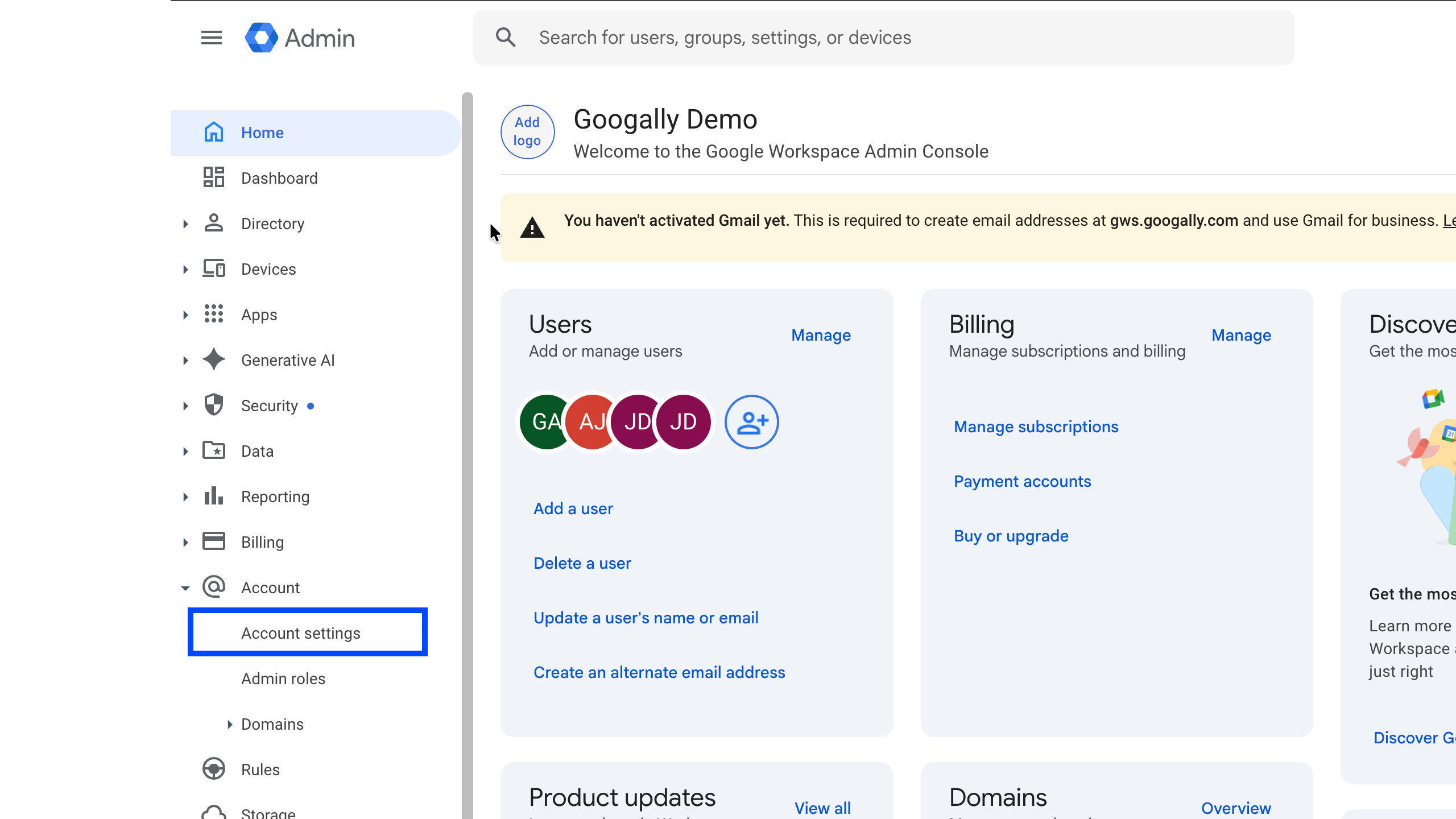
Step 2: Scroll down and you will see the option to delete your account.
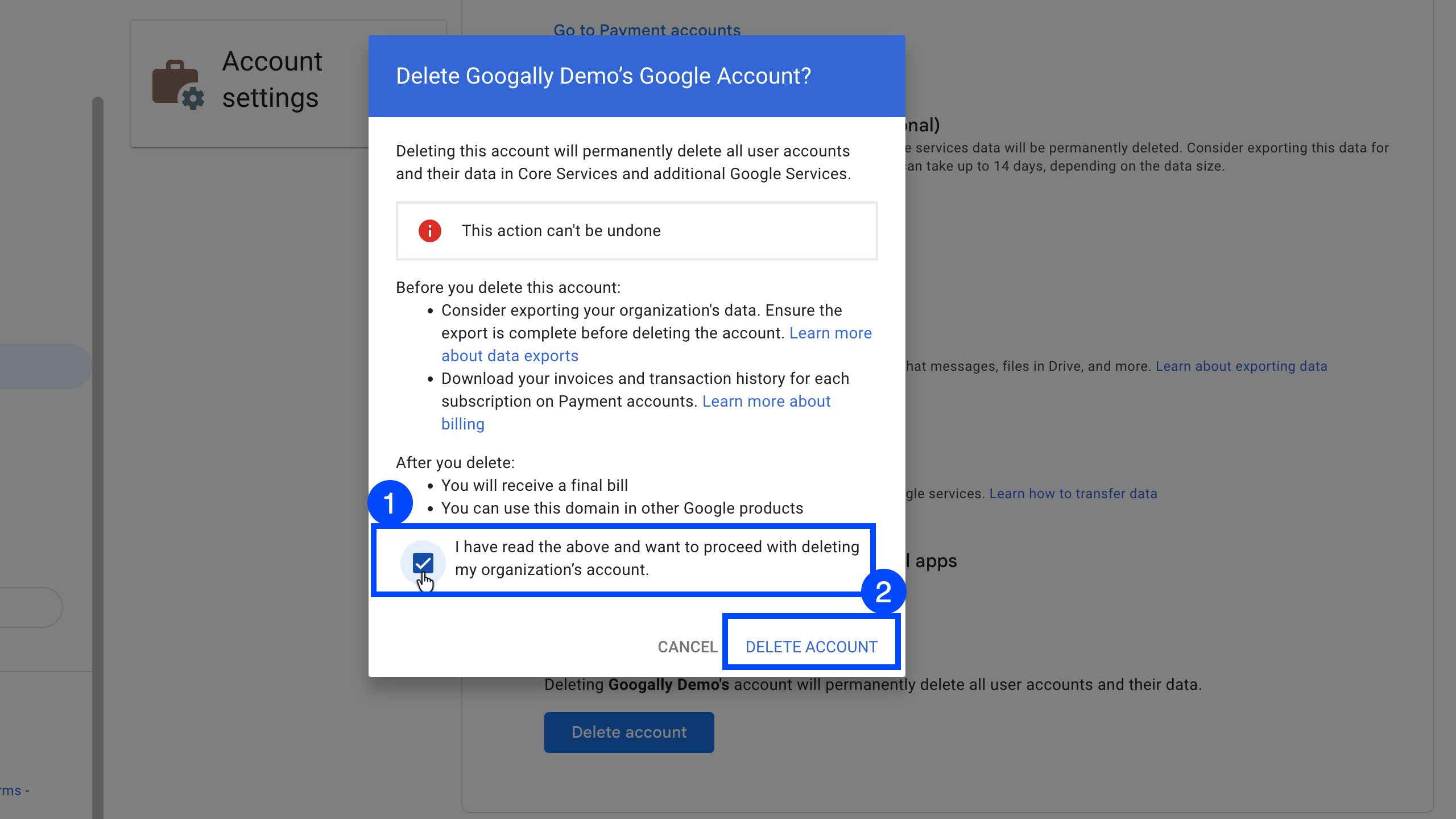
Step 3: Confirm Google Account Deletion
At this time, Google will ask you to confirm that you understand the impact of your Acount Deletion. Please read it carefully as there is no undo option here, once you click on Delete Account, all your data will be gone.
If you are sure, click on delete account button. Please note there is no confirmation screen once you click delete, you would simply be taken to Google Workspace offering page.
Frequently Asked Questions about Google Workspace Subscription Cancellation and Account Deletion:
Will I get a refund for unused days?
In general, No.
If you are on a monthly subscription plan, then you will not be charged after the current monthly billing, but if you are on an annual plan, you would still need to pay till your annual contract ends
Do I lose my domain name?
No, domain belongs to you, Google Workspace is mere a service that you have on your domain name. In fact, even if you add Google Cloud Identity subscription and leave your domain registered with Google, you would still be able to use your domain elsewhere for email hosting services.
Can I downgrade to a free version instead? (Mention Cloud Identity Free).
Yes, we at Googally highly recommend this option as it allows you to leave your domain registered with Google, use some of the Google Workspace services like Drive, Docs, Sheets, Slide, Meet etc in limited capacity. It also gives you a chance to come back to Workspace in future without a need to complete all required steps than a fresh new setup would need.
Is removing Google Workspace from an account is equal to deleting it?
No, deleting your account from any device (e.g. iOS, Android, Outlook etc) merely removes it from that device without any impact to your Google Workspace account.
Google does not let me cancel my subscription, what can be the reasons?
There are a few cases where you can not simply cancel your Workspace subscription right away, these includes
You have an active Google Voice subscription, you would need to cancel this subscription first to cancel Workspace.
If you have purchased your subscription from a reseller like Squarespace, you will not see an option to cancel your subscription. In this case, you would need to do the cancellation with the reseller.
Related Posts
Explore Tips and Guides! Discover expert insights and practical guides for optimizing your Google Workspace experience with our informative resources.





.png)
.png)
.png)
.png)
.png)
.png)
.png)
.png)


.png)
.png)

.png)





.png)
.png)


.png)


