
Google Sheets Templates (And How to Use Them)
Google Sheets templates are free, ready-to-use spreadsheets built for common business tasks — budgets, invoices, project trackers, schedules, and more. You don't need to build them from scratch. Google's own template gallery has dozens, and third-party sources have thousands more. If you're on Google Workspace, you already have full access — it's one of the underrated perks that comes with your subscription.
This guide walks you through the best sources for free Google Sheets templates, explains how to use them, and covers the most useful template types for small businesses.
Quick Takeaways
- Google Sheets has a built-in template gallery accessible right from the home screen — no downloads needed.
- The best free sources for templates are Google's gallery, Vertex42, Smartsheet, and Spreadsheet.com.
- Templates open as editable copies — your original is never modified.
- You can save any customized spreadsheet as your own template for repeated use.
- Google Workspace users get the full suite including Sheets — making templates a zero-extra-cost tool.
Where Can I Find Free Google Sheets Templates?
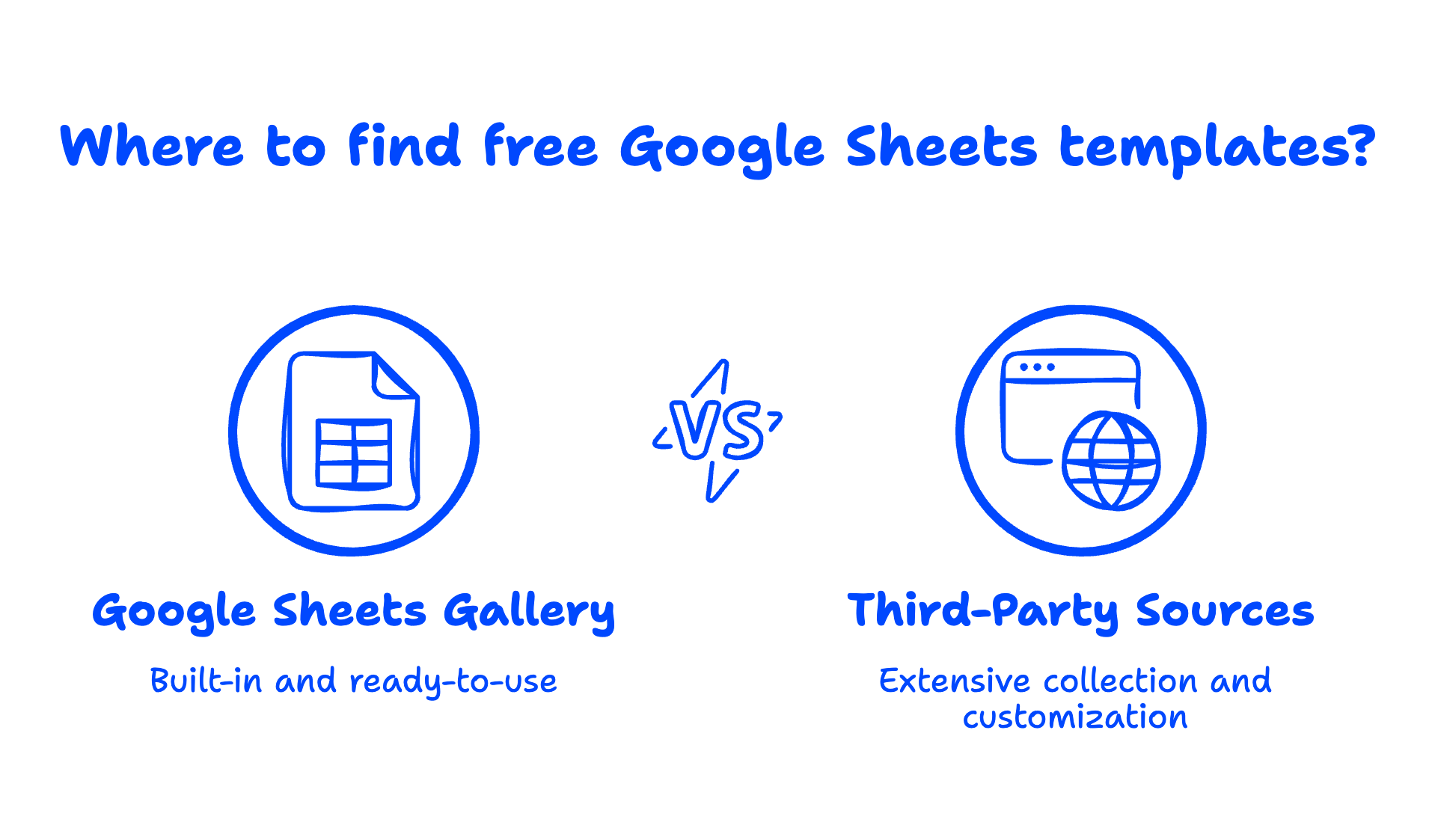
The best free Google Sheets templates come from four main sources. You don't need to pay for any of them.
1. Google Sheets Template Gallery (Built-In)
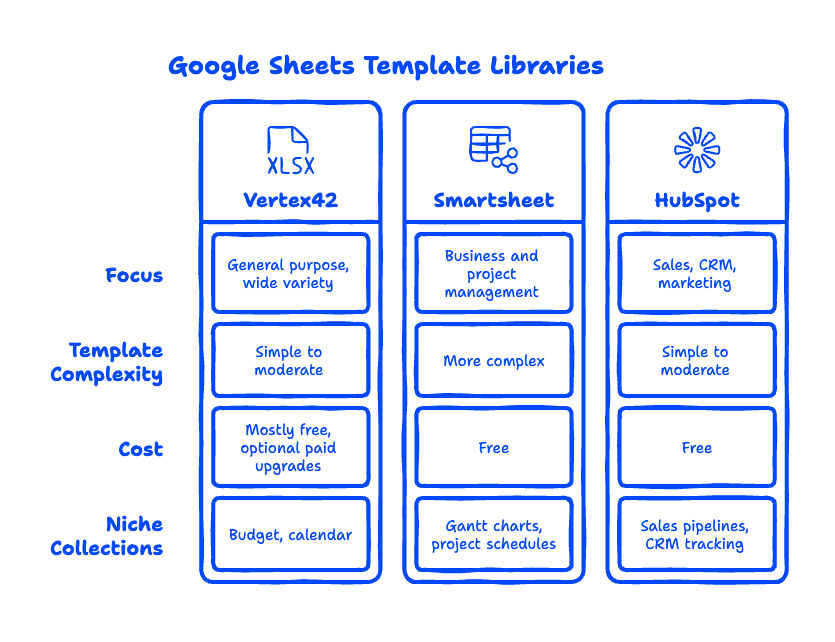
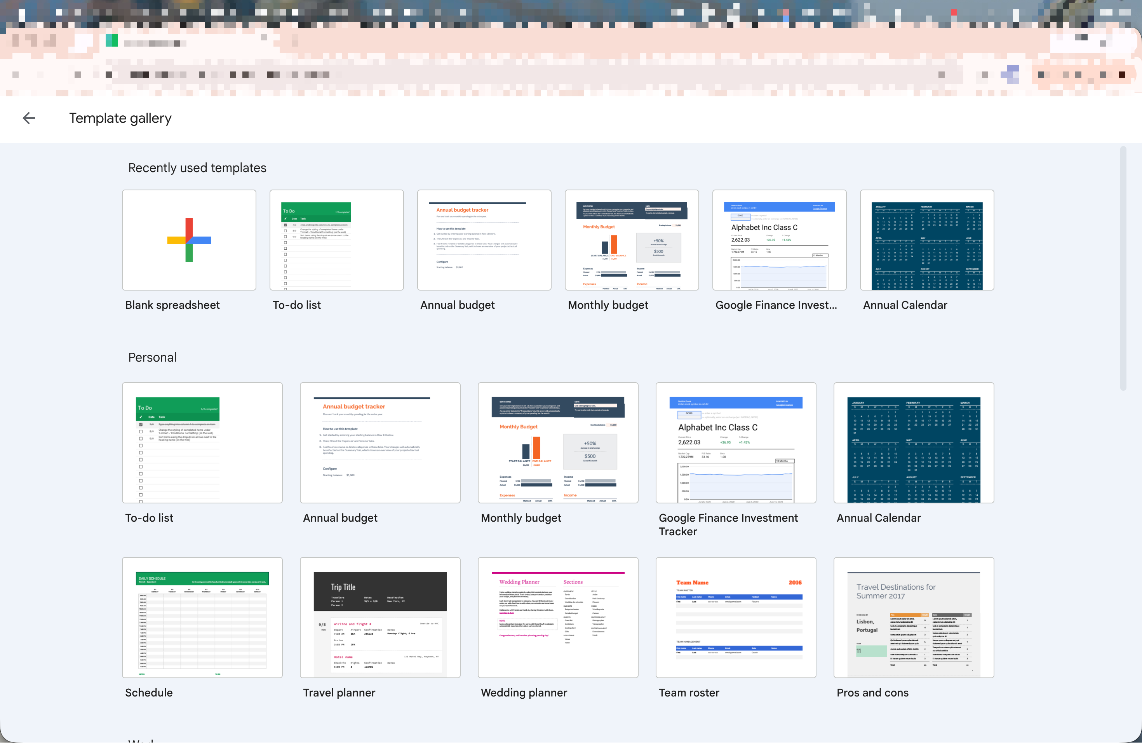
This is the easiest starting point. When you open Google Sheets, you'll see a "Template gallery" strip at the top of the home screen. Click it to see the full library, which includes categories like:
- Personal — Budget, schedule, to-do list, travel planner
- Work — Project tracker, timesheet, expense report
- Education — Lesson plan, class schedule, report card
- Business — Annual business budget, invoice, purchase order
These are Google's own templates. They're well-designed, mobile-friendly, and integrate perfectly with other Google Workspace apps like Drive, Gmail, and Google Calendar. According to Google's Sheets documentation, templates open as a fresh copy so your original is never overwritten. For most small businesses, this gallery covers the basics without needing to go anywhere else.
2. Vertex42
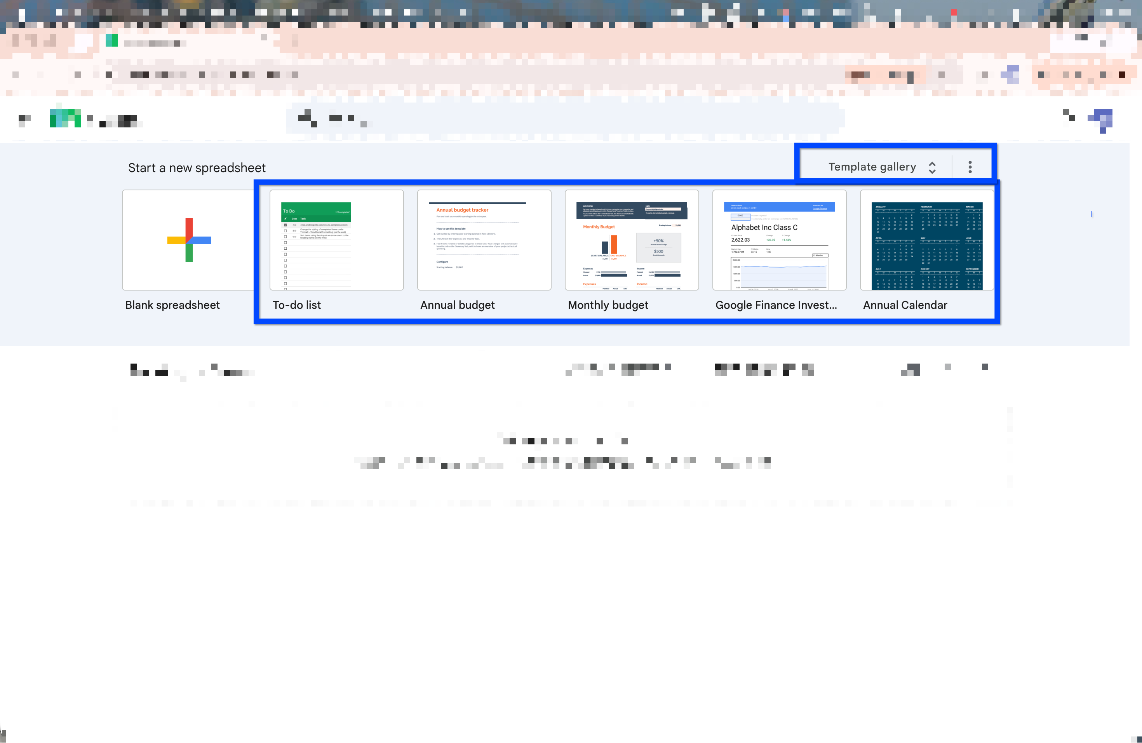
Vertex42 is probably the most well-known third-party spreadsheet template library on the internet. They offer hundreds of free Google Sheets templates across dozens of categories, including Gantt charts, payroll calculators, project budgets, and financial statements. Most are free with optional paid upgrades. Their budget and calendar templates in particular are among the best available outside of Google's own gallery.
3. Smartsheet Template Center
Smartsheet offers a library of free Google Sheets templates aimed at business and project management use cases — Gantt charts, project schedules, capacity planning, and CRM tracking. The templates are more complex than Google's built-in options, which makes them better suited for teams managing multi-step workflows.
4. Spreadsheet.com and HubSpot
Both offer niche template collections for business use cases. HubSpot in particular has useful free templates for sales pipelines, CRM tracking, editorial calendars, and marketing budgets — all designed to be downloaded and used in Google Sheets.
How Do I Use a Template in Google Sheets?
Using a Google Sheets template takes about 30 seconds.
- Go to sheets.google.com
- Click "Template gallery" at the top right of the home screen
- Browse or search for the template type you want
- Click any template to open it as a new, editable copy in your Drive
- Rename the file, start filling it in, and share it with your team as needed
The original template is never modified — Google automatically creates a fresh copy for you. Every edit you make is saved to your own Drive. You can share it, make it a team doc, or download it as an Excel file if you need to send it to someone outside your organization.
For third-party templates from sites like Vertex42, the process is similar: click the template link, choose "Make a copy" when prompted, and it saves to your Google Drive.
The Most Useful Google Sheets Templates for Small Businesses
Not all templates are equally useful. Here are the ones we see small business owners actually use day-to-day.
Budget Template Google Sheets
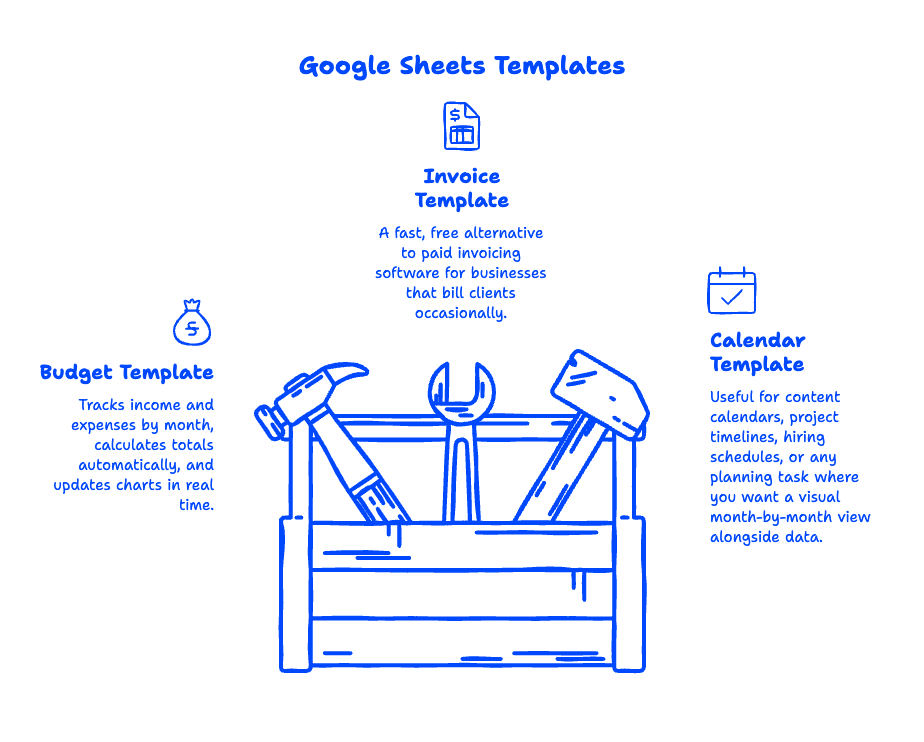
A budget template is probably the most-used spreadsheet in any small business. Google's built-in Annual Business Budget template breaks out income and expenses by month, calculates totals automatically, and updates charts in real time as you enter data. Vertex42's budget templates go further, with multi-sheet structures that separate operating expenses, payroll, and capital costs.
What to look for: Make sure the template has a summary dashboard, pre-built formulas, and monthly vs. annual breakdowns.
Google Sheets Invoice Template
An invoice template in Google Sheets is a fast, free alternative to paid invoicing software for businesses that bill clients occasionally. Google's built-in invoice template includes auto-calculated totals, fields for your business name and logo, and a clean layout that looks professional when printed or exported as a PDF.
For recurring invoicing, you can duplicate the sheet tab each month and keep a history in one workbook.
Google Sheets Calendar Template
A calendar template in Google Sheets is useful for content calendars, project timelines, hiring schedules, or any planning task where you want a visual month-by-month view alongside data. Google's Schedule template gives you a weekly view with time slots. Vertex42's calendar templates offer monthly calendar grids that are easier to use for content or campaign planning.
Can I Make My Own Google Sheets Template?
Yes — and it's simpler than it sounds.
Once you've customized a spreadsheet the way you want it (your preferred layout, formulas, column headers, branding colors), you can save it as a template your whole Google Workspace organization can access.
Here's how:
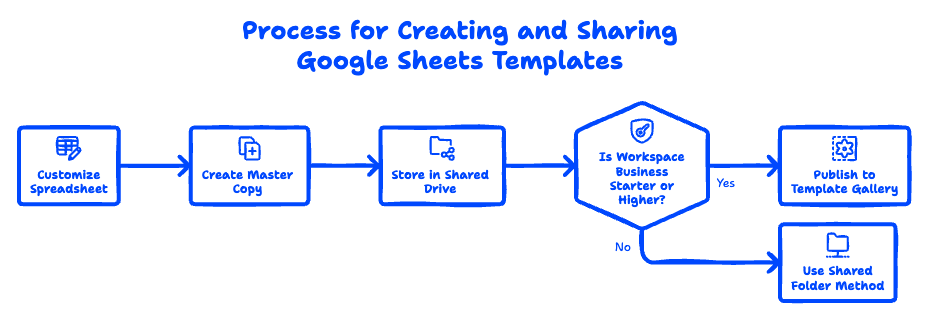
- Open the spreadsheet you want to use as a template
- Click File → Make a copy and name it something like "Invoice Template — Master"
- Store the master copy in a shared Drive folder your team has access to
- When anyone needs a new invoice, they open the master and make their own copy
If you're on Google Workspace Business Starter or higher, you also have access to organizational templates — spreadsheets (and Docs and Slides) that your admin can publish to the company template gallery so everyone in your organization can find them in one place. This is a step up from just sharing a folder, and it keeps your template library clean and controlled.
Learn more about what's included in Google Workspace Business Starter.
What's the Difference Between Google Sheets and Excel Templates?
Google Sheets templates and Excel templates serve the same purpose but have some key differences worth knowing.
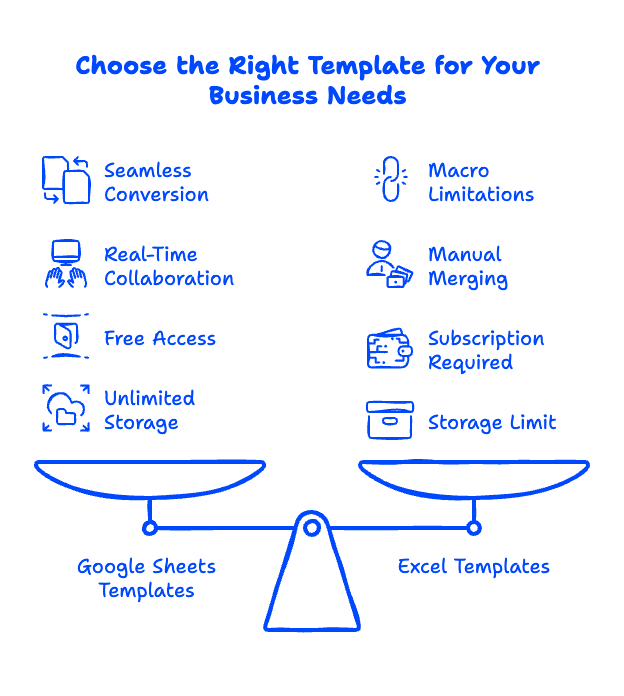
Compatibility: Most Excel templates can be uploaded to Google Sheets and will work correctly, though complex VBA macros won't run. For standard business templates (budgets, invoices, trackers), the conversion is usually seamless.
Collaboration: Google Sheets templates open directly in the browser, require no software installation, and allow real-time collaboration. Multiple people can edit the same sheet simultaneously and see each other's changes live. Excel requires you to share a file, wait for someone to finish, and merge changes manually — unless you're using Microsoft 365's web version.
Cost: Google Sheets is included in every Google Workspace plan and in the free Gmail/Google account tier. Excel requires a Microsoft 365 subscription, which starts at around $6/user/month.
Storage: Google Sheets files are stored in Google Drive and don't count against your Drive storage quota. Excel files stored in Drive do count toward your storage limit.
For small businesses already on Google Workspace, Sheets templates are simply the more practical choice — faster, more collaborative, and already paid for.
See our full comparison of Office 365 vs Google Workspace.
FAQ: Google Sheets Templates
Are Google Sheets templates really free?
Yes. All templates in the Google Sheets built-in gallery are completely free for anyone with a Google account (personal Gmail or Google Workspace). Third-party sites like Vertex42 offer free versions of most templates, with optional paid upgrades for more advanced versions.
Can I use Google Sheets templates offline?
Yes — if you enable offline mode in Google Drive, you can access and edit your Sheets files without an internet connection. Changes sync automatically when you reconnect.
Can I share a template with my team?
Absolutely. Store your template in a shared Google Drive folder and give team members access. Anyone with the link can open it and make their own copy. Google Workspace admins can also publish templates to an organization-wide template gallery.
Do Google Sheets templates work on mobile?
Yes. The Google Sheets mobile app (iOS and Android) supports all standard templates. The layout adjusts for smaller screens, though complex dashboards are easier to navigate on desktop.
What if I need a very specific template that doesn't exist?
Build it yourself or start with the closest existing template and customize it. Google Sheets is flexible enough that most customizations — adding columns, changing formulas, applying conditional formatting — take just a few minutes once you're familiar with the interface.
Ready to Get More Out of Google Workspace?
Google Sheets templates are just one small piece of what Google Workspace offers. If your business is still on an older email platform and you're not getting the full value of modern collaboration tools, we can help you make the switch — with zero downtime, guaranteed.
Migrating from Rackspace? Here's everything you need to know.
Already on Gmail and thinking about upgrading to Google Workspace? We've got a guide for that too.
Reach out to Googally anytime to talk through your migration — we've done hundreds of them, and we make the process painless.
Related Posts
Explore Tips and Guides! Discover expert insights and practical guides for optimizing your Google Workspace experience with our informative resources.















.png)
.png)
.png)
.png)
.png)
.png)
.png)
.png)


.png)
.png)

.png)






.png)
.png)


.png)


