

Gemini vs Copilot: Which AI Wins for Business?
The short answer to the Gemini vs Copilot question: Google Gemini is the better fit if your team runs on Gmail, Docs, and Sheets, because it's built directly into Google Workspace and is now included at no extra cost on most plans. Microsoft Copilot is the stronger pick if you're deeply invested in Excel, Outlook, and Teams — but it costs extra per user on top of your Microsoft 365 subscription. For most small businesses I've helped at Googally, the deciding factor isn't which AI is "smarter" — it's which productivity suite you already live in every day. Below is the plain-English breakdown of price, features, and the real trade-offs.
Quick Takeaways
- Gemini is Google's AI assistant, now bundled into most Google Workspace Business and Enterprise plans at no added per-user fee.
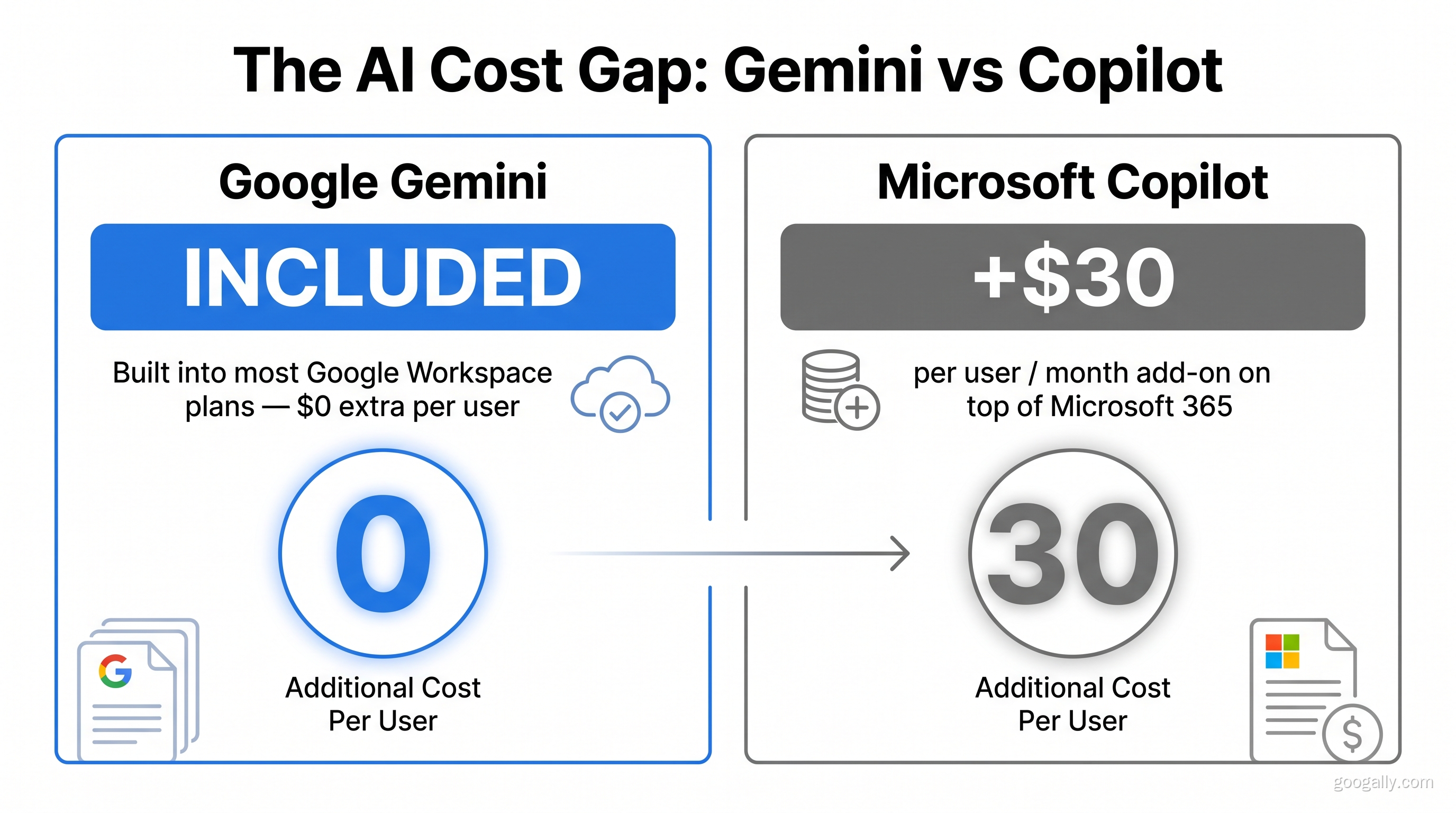
- Copilot is Microsoft's AI assistant, sold as a paid add-on (around $30/user/month) on top of Microsoft 365.
- The right choice usually follows the suite your team already uses — switching suites just for the AI rarely pays off.
- On raw pricing, Google Workspace with Gemini is typically cheaper than Microsoft 365 plus Copilot.
- New Google Workspace customers can claim a Google Workspace promo code for 15% off the first 3 months.
Gemini vs Copilot: The Quick Comparison
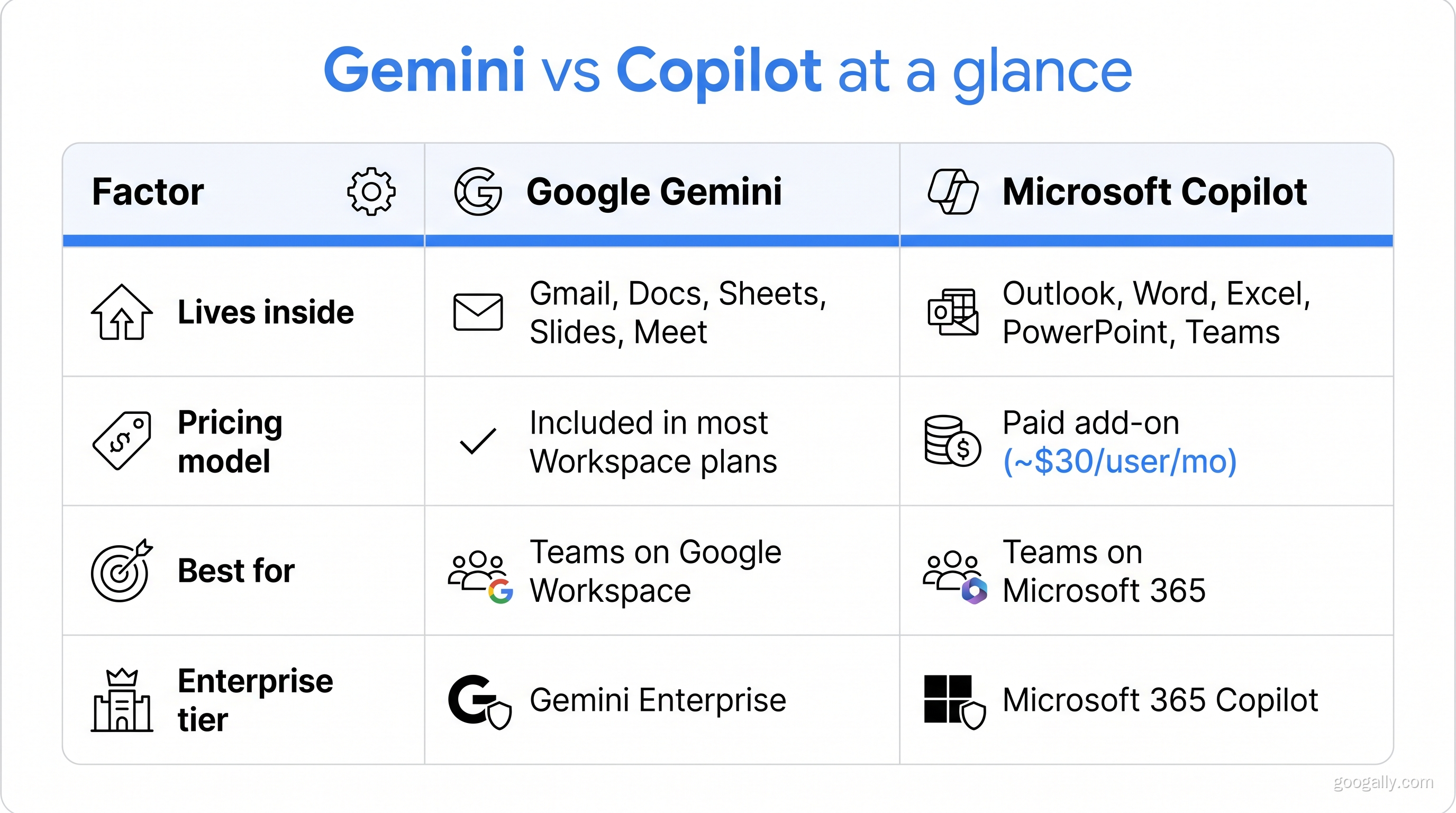
Here's the at-a-glance version before we dig into details. Both tools do the same core job — draft text, summarize, analyze data, and answer questions inside your apps — but they live in different ecosystems and price very differently.
| Factor | Google Gemini | Microsoft Copilot |
|---|---|---|
| Lives inside | Gmail, Docs, Sheets, Slides, Meet | Outlook, Word, Excel, PowerPoint, Teams |
| Pricing model | Included in most Workspace Business/Enterprise plans | Paid add-on (~$30/user/mo) on top of 365 |
| Best for | Teams on Google Workspace | Teams on Microsoft 365 |
| Data/files it knows | Your Drive, Gmail, Calendar | Your OneDrive, SharePoint, Outlook |
| Standalone chatbot | Gemini app (web + mobile) | Copilot app (web + Windows) |
| Enterprise tier | Gemini Enterprise | Microsoft 365 Copilot |
What Is Google Gemini in Workspace?
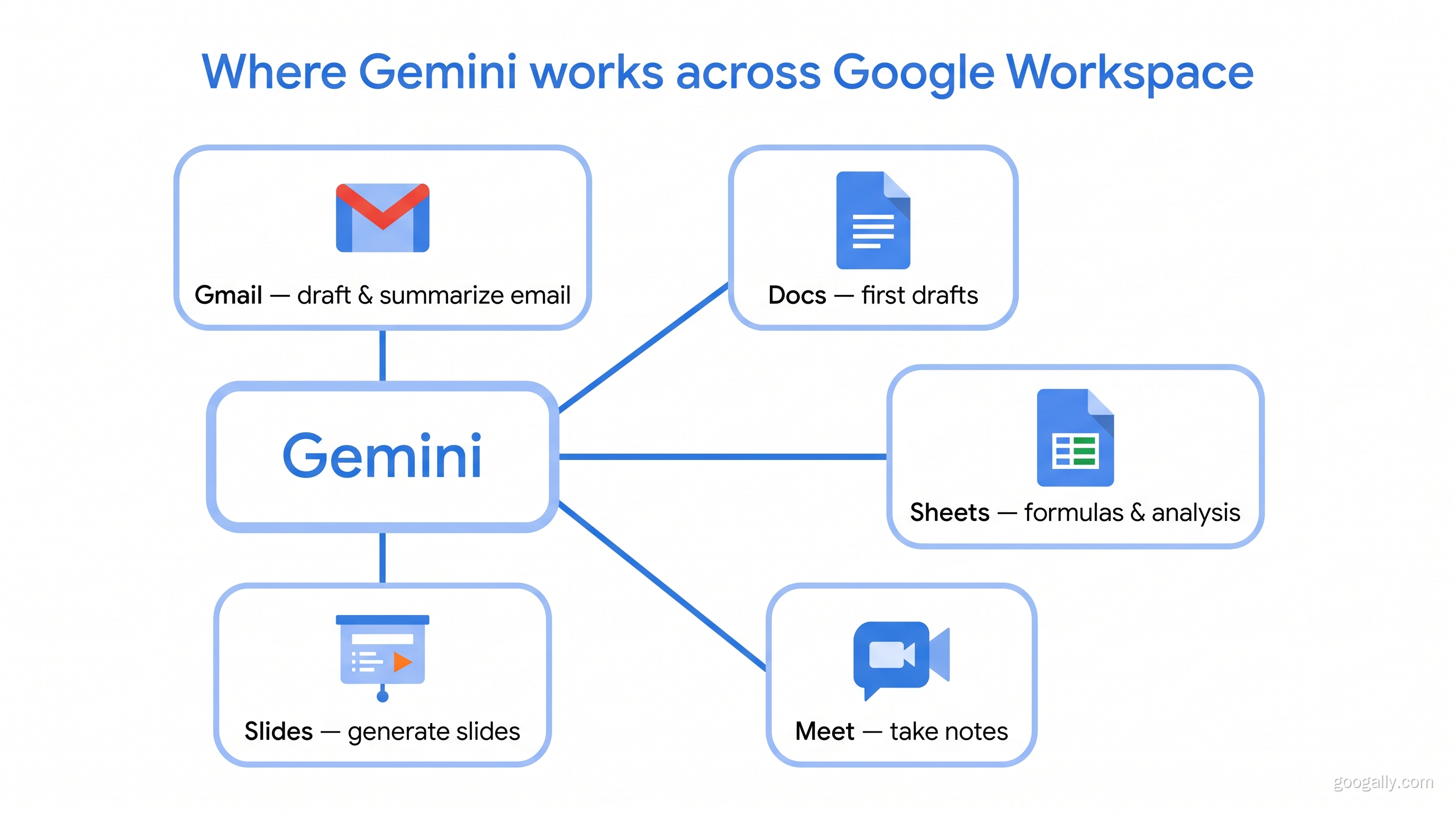
Google Gemini is Google's AI assistant woven directly into the Workspace apps your team already uses. It can draft an email in Gmail, summarize a long thread, build a first draft in Docs, create formulas and analyze data in Sheets, generate slides, and even take notes for you in Meet. Because it's part of Workspace, it already understands the context of your Drive files, calendar, and inbox without any extra setup.
The big shift in 2026 is that Gemini is no longer a costly add-on for most businesses. Google folded its core AI features into the standard Business Starter, Standard, and Plus plans, so you get the assistant as part of your normal per-user price. If you've wondered whether the AI is part of your subscription, we covered that in detail in our guide to whether Gemini is included in Google Workspace.
What Is Microsoft Copilot?
Microsoft Copilot is Microsoft's AI assistant embedded across the Microsoft 365 apps — Word, Excel, PowerPoint, Outlook, and Teams. It's genuinely powerful, especially in Excel, where it can build pivot tables, spot trends, and write complex formulas from a plain-English request. Copilot also draws on your organization's data through Microsoft Graph, so it can reference documents in SharePoint and OneDrive.
The catch is cost. Microsoft 365 Copilot is a separate paid license — roughly $30 per user per month — layered on top of whatever Microsoft 365 plan you already pay for. For a 10-person team, that's an extra $3,600 a year just for the AI. That pricing gap is the single biggest reason the copilot vs gemini decision often comes down to budget.
Is Google Workspace or Microsoft Cheaper?
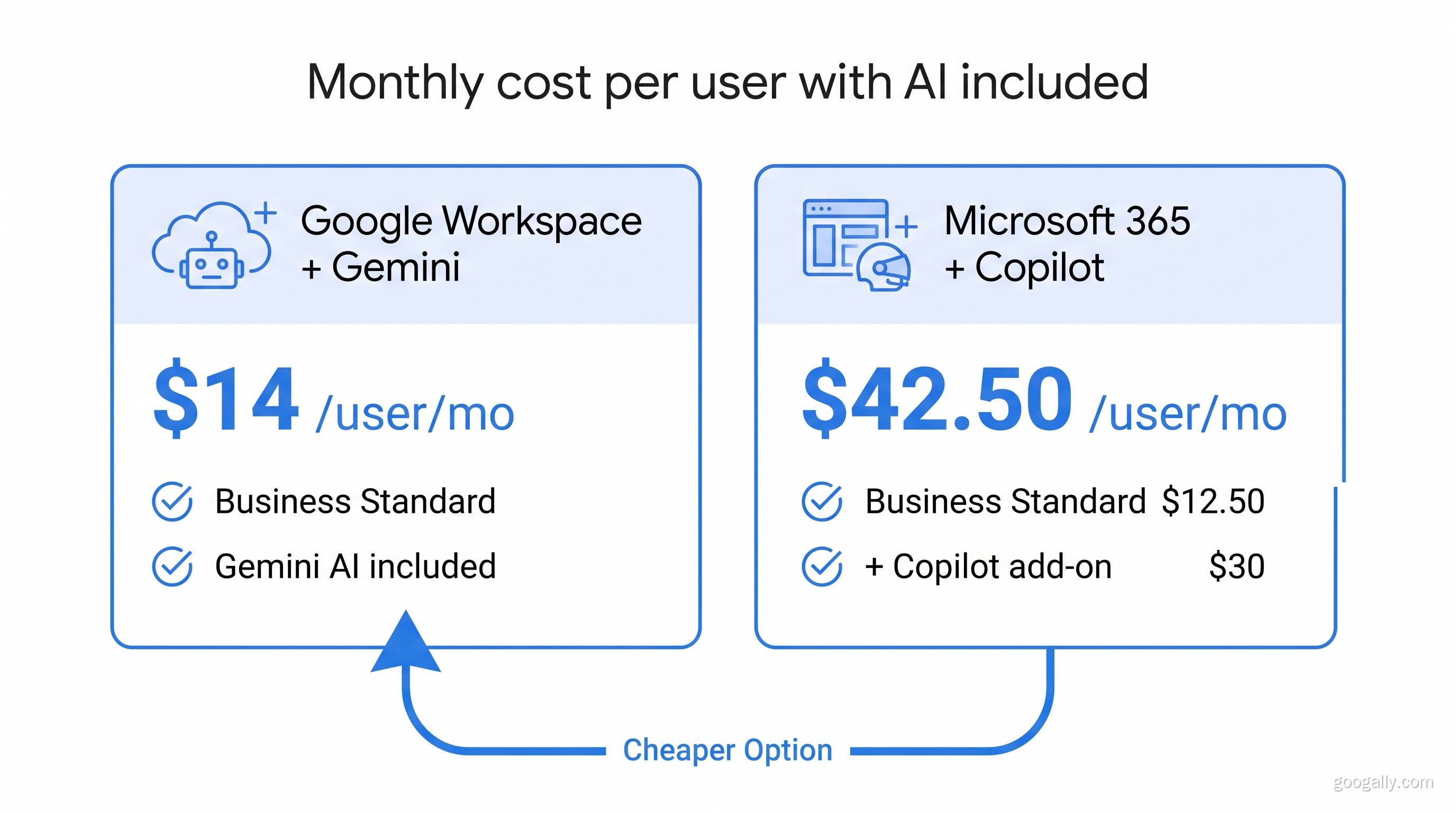
For most teams, Google Workspace with Gemini is cheaper than Microsoft 365 with Copilot. The reason is structural: Google includes its AI in the base plan, while Microsoft charges for Copilot as an extra license.
A quick real-world comparison for a small team: Google Workspace Business Standard runs about $14/user/month with Gemini included. A comparable Microsoft 365 Business Standard plan is around $12.50/user/month — but add Copilot at ~$30/user/month and your true "AI-enabled" cost jumps to roughly $42.50/user/month. That's nearly triple the per-seat cost once you factor in the assistant.
If cost is driving your decision, it's worth pairing the plan comparison with our Google Workspace pricing plans guide so you can match the right tier to your team. And because we're an authorized Google partner, new customers can use a Google Workspace promo code for 15% off the first 3 months for new customers on Business Starter, Standard, or Plus.
What Can Copilot Do That Gemini Can't?
Copilot's biggest edge is deep Excel and PowerPoint intelligence. If your business runs on heavy spreadsheet modeling, Copilot's ability to reason across large, structured Excel workbooks is currently a step ahead of Gemini in Sheets for the most complex tasks. Copilot also integrates tightly with Teams meetings and the broader Microsoft enterprise stack that large organizations often standardize on.
Gemini, on the other hand, tends to win on natural language drafting, Gmail and Docs integration, and multimodal tasks — it handles images, long documents, and research-style prompts smoothly. It's also simpler to roll out because there's no extra license to buy or assign. In our experience migrating teams to Workspace, that "it's already on" factor means far higher day-one adoption than a paid add-on that admins have to provision seat by seat.
What Are the Downsides of Using Gemini?
The main downsides of Gemini are that its deepest strengths only show up when your team actually works inside Google Workspace, and that the most advanced capabilities sit in higher tiers like Gemini Enterprise. If your files live in Excel and Outlook, Gemini can still help through the standalone app, but you lose the seamless in-app context that makes it shine.
A second consideration is change management. Teams coming from Microsoft need a short adjustment period, and some power users miss specific Excel behaviors. This is exactly the kind of transition we handle at Googally — migrating email, files, and calendars with zero downtime so the switch doesn't disrupt your week. If you're weighing it, our take on saying goodbye to Microsoft Outlook walks through what changes day to day.
Where Does ChatGPT Fit In?
A lot of buyers actually research chatgpt vs gemini vs copilot together, so it's worth a quick note. ChatGPT (from OpenAI) is a standalone assistant that isn't natively built into either office suite — it's excellent for open-ended writing and reasoning, and the gpt vs gemini debate usually comes down to personal preference for general chat. But for business workflows, the real decision is Gemini vs Copilot, because those two live inside the tools where your work already happens. According to Google's official Workspace admin documentation, Gemini's business features are governed by the same data protection terms as the rest of Workspace, which matters for compliance-minded teams.
Which Should Your Business Choose?
Choose Gemini if your team already uses Gmail and Google Workspace, you want AI included without a separate license, and you value simple rollout. Choose Copilot if you're committed to Microsoft 365, rely heavily on advanced Excel, and can justify the added per-user cost.
For businesses that are on the fence — or already frustrated with Microsoft's pricing — moving to Google Workspace gets you a capable AI assistant baked in rather than bolted on. If you're weighing the whole suite, not just the AI, our Google Workspace vs Microsoft 365 comparison breaks down email, storage, and admin side by side.
Frequently Asked Questions
Is Gemini included in Google Workspace?
Yes. As of 2026, Google includes its core Gemini AI features in most Workspace Business and Enterprise plans at no additional per-user cost. Higher-end capabilities are available through the Gemini Enterprise tier.
Which is better, Copilot or Gemini?
Neither is universally better — it depends on your suite. Gemini is better for teams on Google Workspace, while Copilot is better for teams committed to Microsoft 365 and heavy Excel work.
What can Copilot do that Gemini can't?
Copilot's strongest advantage is advanced Excel and PowerPoint automation and tight integration with Teams and the Microsoft enterprise stack. Gemini counters with included pricing and deeper Gmail and Docs integration.
Is Google Workspace or Microsoft cheaper?
Google Workspace is typically cheaper for AI-enabled teams because Gemini is included in the plan, whereas Microsoft charges roughly $30 per user per month extra for Copilot on top of a Microsoft 365 subscription.
Can I try Google Workspace with Gemini before switching?
Yes. New businesses can start a free trial, and as an authorized partner Googally offers a promo code for 15% off the first 3 months for new customers on Business Starter, Standard, or Plus.
Ready to get a capable AI assistant included with your business email instead of paying extra for it? See how Googally helps teams switch to Google Workspace — and grab your discount on the way in.
Related Posts
Explore Tips and Guides! Discover expert insights and practical guides for optimizing your Google Workspace experience with our informative resources.














.png)
.png)
.png)
.png)
.png)
.png)
.png)
.png)


.png)
.png)

.png)





.png)
.png)


.png)


