
Google Workspace Free Trial: How It Works in 2026
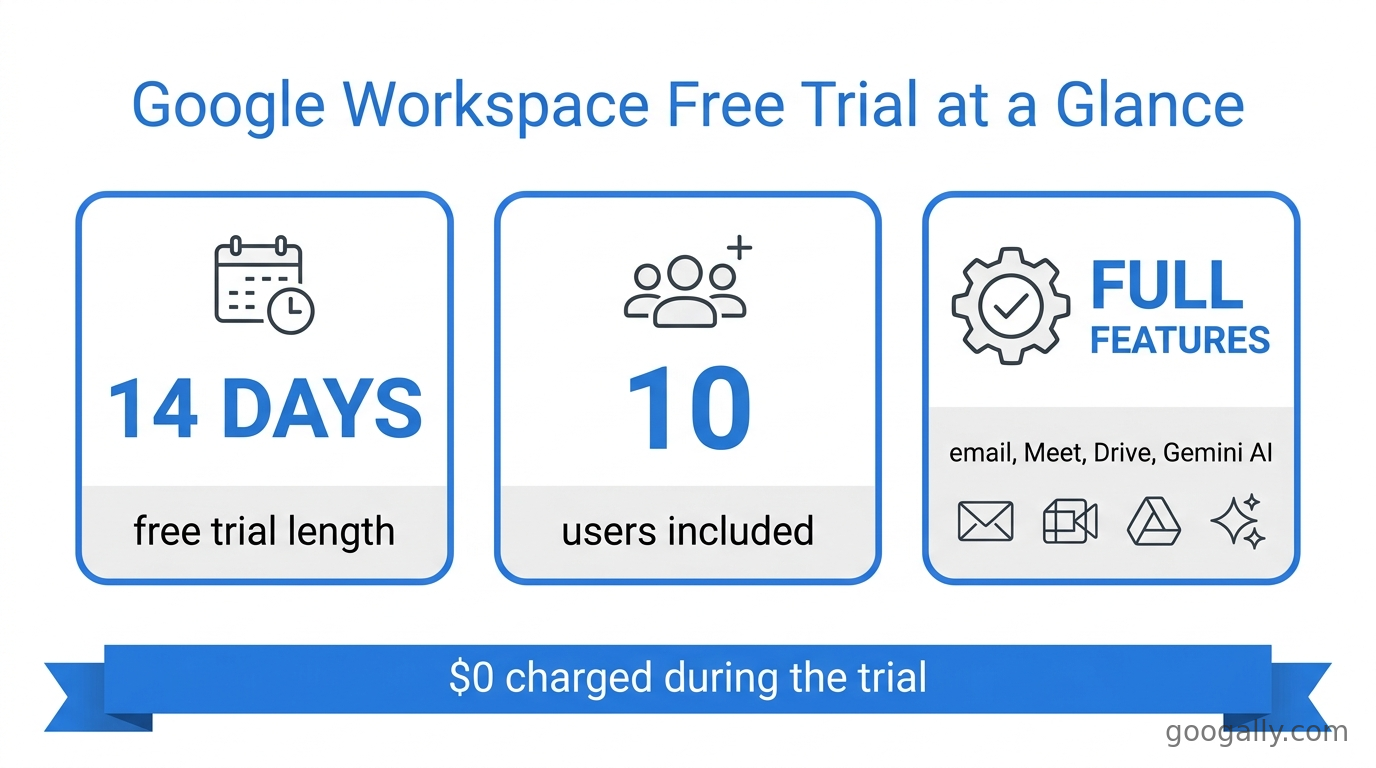
Yes, Google Workspace has a free trial, and it lasts 14 days. During that window you can add up to 10 users, connect a domain you already own (or buy a new one), and use the full paid product — business email at your own domain, 30 GB to 5 TB of storage depending on the plan, Google Meet, Chat, Drive, and the built-in Gemini AI features. There's no charge during the 14 days, and you only start paying if you choose a plan and continue after the trial ends. In this guide I'll walk you through exactly how the Google Workspace free trial works, what's included, whether you need a credit card, and the smartest way to keep your bill low once you upgrade.
Quick Takeaways
- The Google Workspace free trial is 14 days and supports up to 10 users — plenty to test with a real team.
- You get the full paid experience: custom-domain email, Meet, Drive storage, Chat, and Gemini AI — not a stripped-down version.
- You'll usually enter billing details to start, but you are not charged during the trial and can cancel before it ends.
- When the trial ends, you pick a plan — Business Starter ($7), Standard ($14), or Plus ($22) per user/month on an annual commitment.
- New customers can stack a 15% off the first 3 months for new customers discount on top, so your real first-quarter cost is lower than list price.
What is the Google Workspace free trial?
The Google Workspace free trial is a 14-day, no-cost evaluation of the full Google Workspace product for businesses. It gives you a real, working account — professional email at your own domain (like you@yourbusiness.com), the admin console, and all the collaboration apps — so you can decide whether it fits your team before you commit to a paid subscription.
This is different from a free personal Google account. A regular @gmail.com account is free forever but gives you no custom-domain email, no admin controls, and no pooled business storage. The trial is the paid Workspace product, temporarily free. If you're weighing the two, our breakdown of Google Workspace vs a personal Google account explains the difference in plain English.
How long is the Google Workspace free trial?
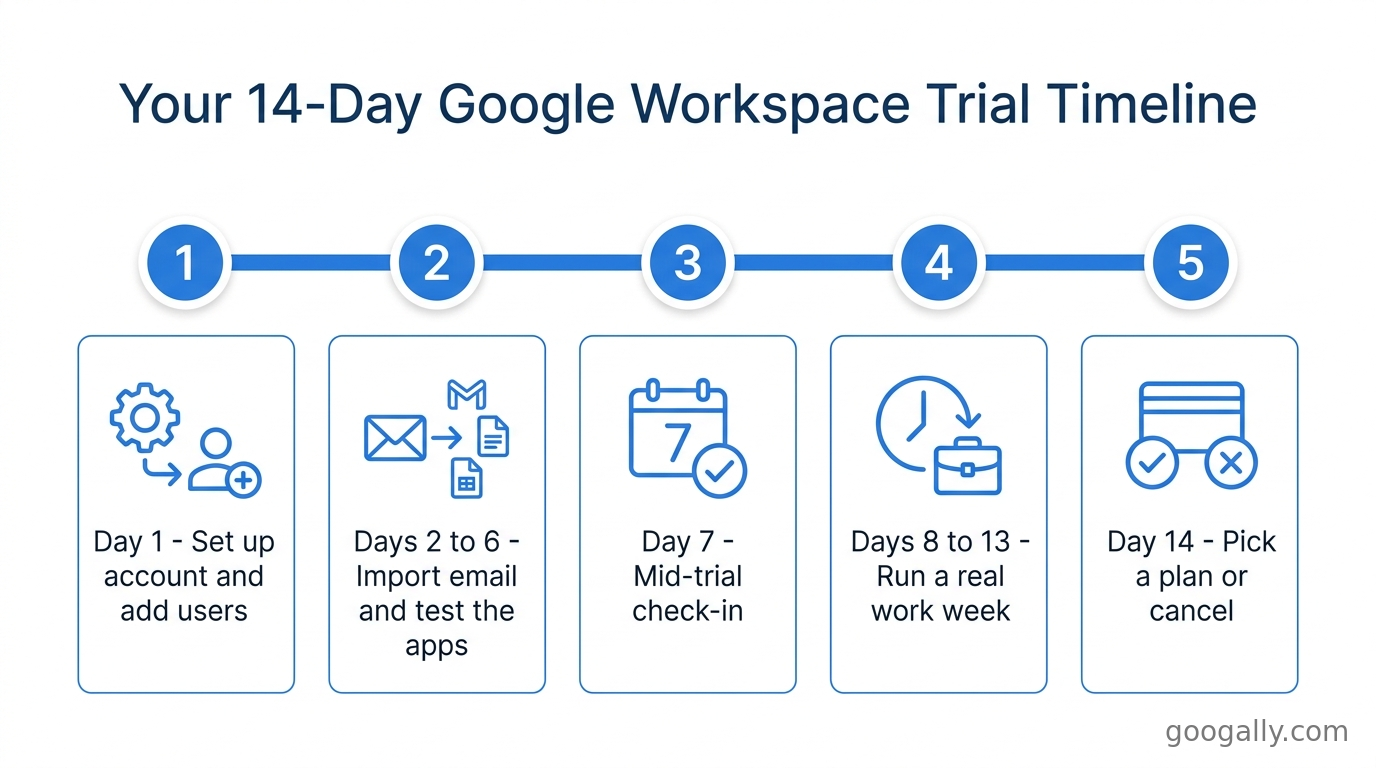
The free trial lasts 14 days. Google shortened it from the older 30-day trial, so two weeks is what you get across Business Starter, Business Standard, and Business Plus. That's enough time to migrate a mailbox or two, send real email, run a few Meet calls, and see how the admin console feels day to day.
My advice from setting up hundreds of these: treat the 14 days as a structured test, not a 'poke around later' trial. Add your key users on day one, forward or import a sample of real email, and put the apps through a normal work week. You'll know well before day 14 whether it's right for you.
What's included in the Google Workspace free trial?
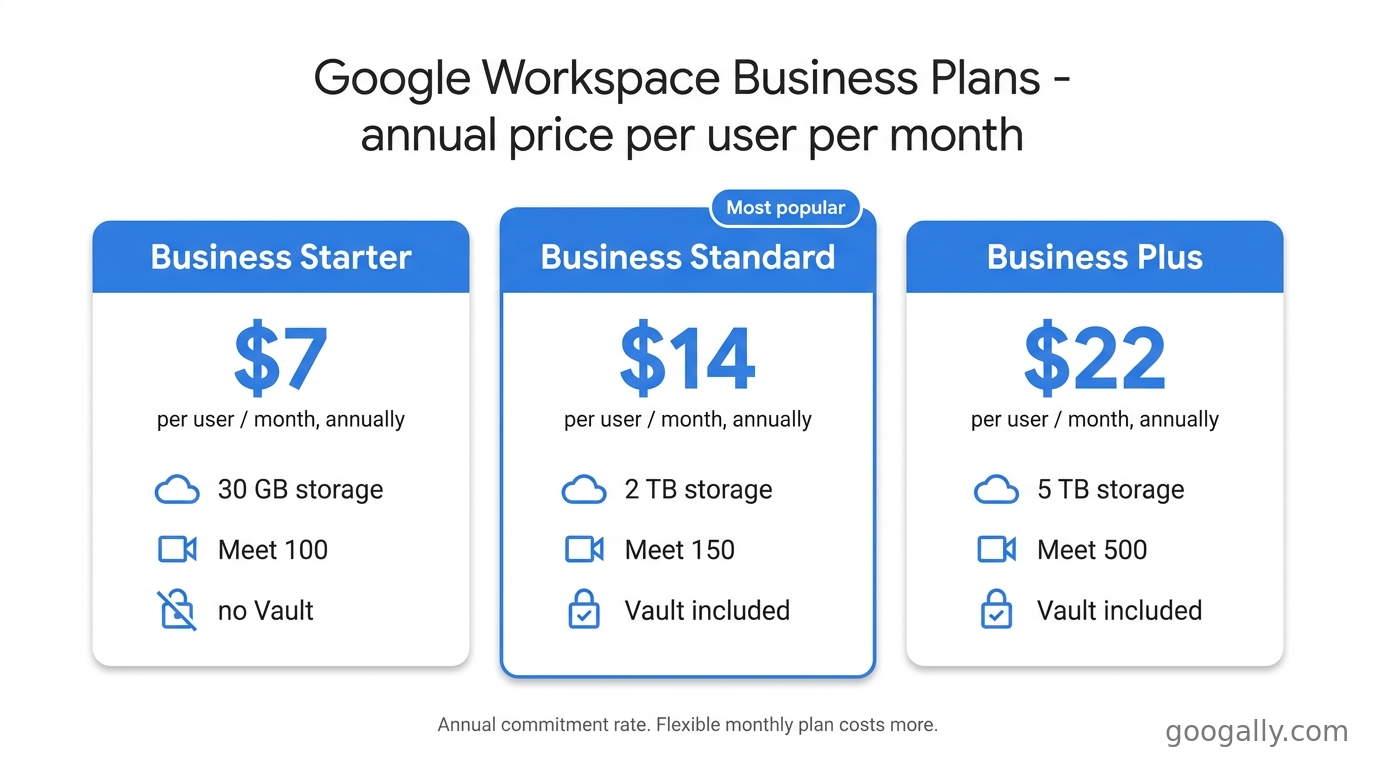
You get the complete feature set of whichever plan you choose to trial — the trial isn't a limited tier, it's the real plan running free for 14 days. The plan you pick during signup determines your storage, Google Meet limits, and whether Vault is included. Here's how the three business plans compare:
| Plan | Price (annual, per user/mo) | Storage per user | Google Meet | Vault |
|---|---|---|---|---|
| Business Starter | $7 | 30 GB pooled | 100 participants | No |
| Business Standard | $14 | 2 TB | 150 participants | Yes |
| Business Plus | $22 | 5 TB | 500 participants | Yes |
Every plan includes custom-domain Gmail, Drive, Docs, Sheets, Slides, Chat, Calendar, and Google's Gemini AI assistant, which is now bundled into Workspace rather than sold as a separate add-on. If you're not sure which tier to test, most small teams start on Standard for the 2 TB storage and larger Meet limit — our guide to the best Google Workspace plan breaks down who each plan actually suits.
Can you use your own domain during the trial?
Yes. During signup you either connect a domain you already own or buy one through Google. Entering a domain you own does not immediately switch your live email over to Google — you verify ownership first, and your existing email keeps flowing until you deliberately change your MX records. That safety gap is what makes it realistic to trial Workspace without risking your current inbox.
Do you need a credit card for the Google Workspace free trial?
In most cases you'll enter payment or billing details to activate the trial, but you are not charged during the 14 days. Google uses the billing information to convert you to a paid plan automatically if you don't cancel — so the trial is genuinely free, as long as you cancel before day 14 if you decide it's not for you.
If you'd rather not risk an automatic charge, set a calendar reminder for day 12 or 13. And if you buy a new domain during signup, that domain purchase itself is a real charge (domains aren't free), separate from the Workspace subscription. For a fuller look at what Workspace really costs over time, see our rundown of the cheapest way to get Google Workspace.
How do you start a Google Workspace free trial?
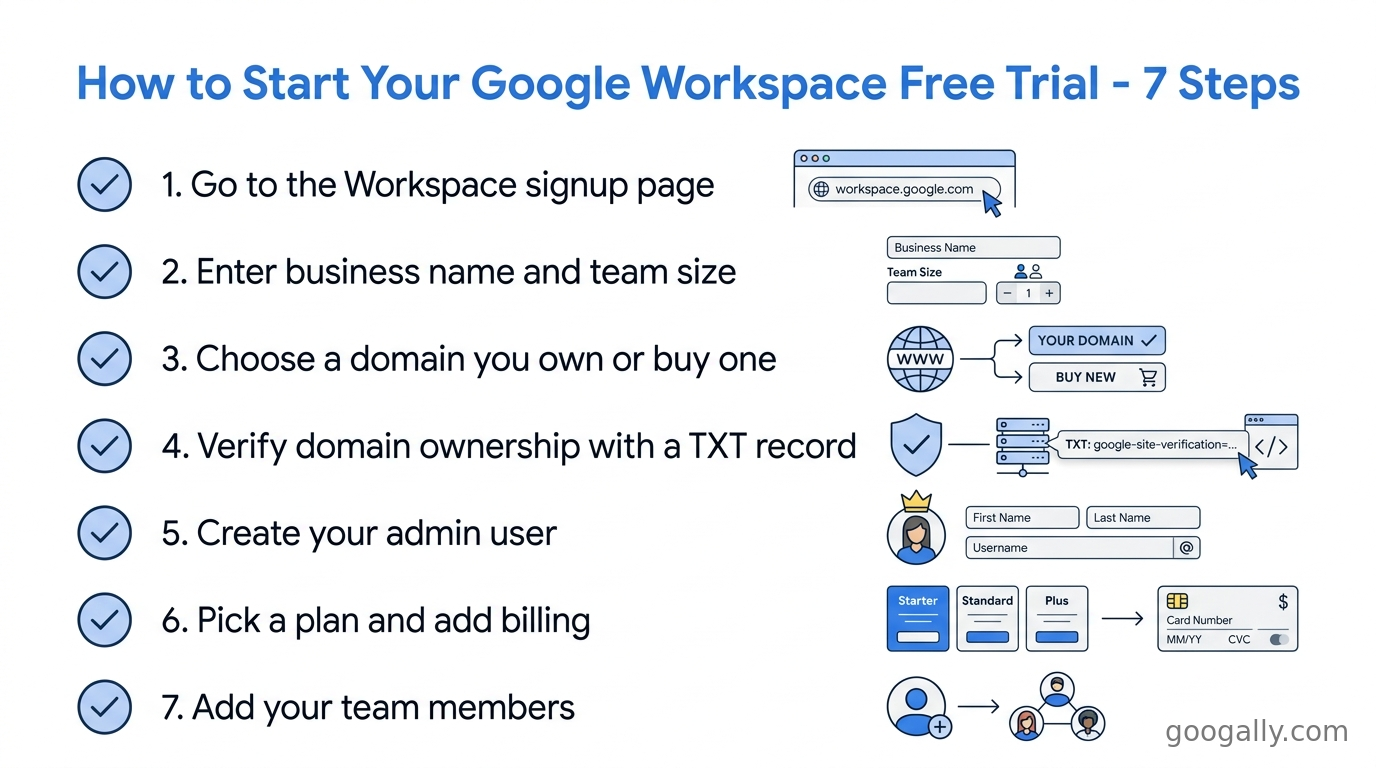
Starting the trial takes about ten minutes. Here's the sequence I walk clients through:
- Go to the Google Workspace signup page and choose 'Start free trial.' Google Workspace signup
- Enter your business name and team size (remember, the trial allows up to 10 users).
- Choose your domain — connect one you already own, or buy a new one on the spot.
- Verify domain ownership with the TXT record Google provides (your registrar's DNS settings — this is the step people find fiddliest).
- Create your first admin user and password.
- Pick a plan to trial (Starter, Standard, or Plus) and add billing details.
- Add your team members and start testing.
The one step that trips people up is domain verification. If you don't want to touch DNS yourself — or you're migrating existing email from Rackspace, GoDaddy, or Microsoft 365 without downtime — that's exactly the kind of setup we handle at Googally so nothing breaks mid-trial.
What happens when the Google Workspace free trial ends?
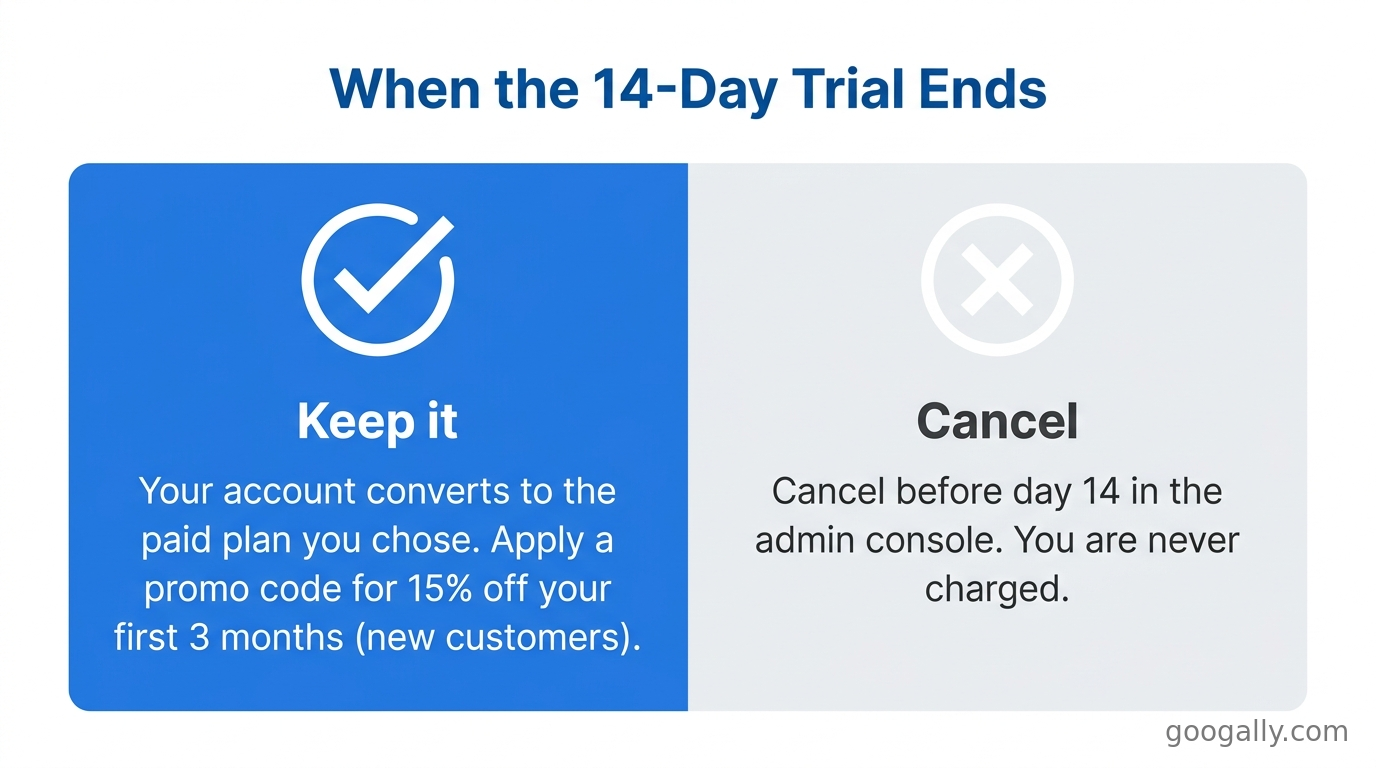
When the 14 days are up, one of two things happens: if you added billing details and didn't cancel, your account automatically converts to the paid plan you selected, and billing begins. If you cancel before the trial ends, your account is suspended and eventually deleted, and you're never charged.
This is the moment to be strategic about cost. The trial itself is free, but the plan you roll into is not — so it's worth locking in a discount before that first invoice. New customers can apply a 15% off the first 3 months for new customers promotion on Business Starter, Standard, or Plus. You can grab the current Google Workspace promo code and apply it at checkout so your first quarter comes in below list price. Before you commit, it's also worth a quick read of is Google Workspace worth it to sanity-check the value for your situation.
Can you switch plans after the trial?
Yes. You're not locked into the plan you trialed. Once you're a paying customer you can move between Business Starter, Standard, and Plus from the admin console, and the change takes effect on your next billing cycle. Our guide on how to change your Google Workspace plan covers the exact steps and the billing implications.
Frequently Asked Questions
How many users can you have on the Google Workspace free trial?
The free trial supports up to 10 user accounts. That's enough to test with a real team rather than just yourself. If your business is larger, you can still trial with 10 seats and then add the rest once you convert to a paid plan.
Is Google Workspace really free?
Google Workspace is free for the 14-day trial only — after that it's a paid subscription starting at $7 per user per month on Business Starter (annual commitment). There is no permanently free business tier; the free option is a personal @gmail.com account, which lacks custom-domain email and admin controls.
Do you get charged automatically after the trial?
If you entered billing details and don't cancel, yes — your account converts to paid automatically when the 14 days end. To avoid an unwanted charge, cancel from the admin console before the trial expires. You will not be billed during the trial period itself.
Can you extend the Google Workspace free trial?
Google generally does not extend the standard 14-day trial. If you need more evaluation time, the practical move is to convert to a paid plan (applying a new-customer discount to soften the cost) and cancel later if it's not a fit, since you can downgrade or leave between billing cycles.
What's the difference between the trial and a free Gmail account?
The trial is the full paid Workspace product, free for 14 days, with custom-domain email, admin tools, and business storage. A free Gmail account is free forever but is a personal account with an @gmail.com address and none of the business features. See what Google Workspace includes for the full picture.
Thinking about testing Google Workspace for your team? Start the 14-day trial, and when you're ready to convert, make sure you're not paying full price — grab a Google Workspace promo code for 15% off the first 3 months for new customers. Need help getting set up or migrating email without downtime? Talk to us at Googally.
Related Posts
Explore Tips and Guides! Discover expert insights and practical guides for optimizing your Google Workspace experience with our informative resources.











.png)
.png)
.png)
.png)
.png)
.png)
.png)
.png)


.png)
.png)

.png)




.png)
.png)


.png)


