

Google Workspace for Nonprofits: Free vs Paid
Yes — Google Workspace for nonprofits is free for eligible organizations, through a dedicated Nonprofit edition that gives your team professional email, Drive storage, Docs, Meet, and Calendar at no cost. But "free" comes with real limits, and many nonprofits eventually pay to upgrade to Business Standard or Plus for more storage, longer video meetings, and compliance tools. In this guide I'll break down exactly what the free edition includes, what it doesn't, how much upgrades actually cost, and how to qualify and set everything up. I've helped small teams and mission-driven organizations move onto Workspace at Googally, so this is the plain-English version I wish more nonprofits had before they started.
Quick Takeaways
- Google Workspace for nonprofits is free for verified 501(c)(3) (or local equivalent) organizations via the Nonprofit edition.
- The free edition covers email, Drive, Docs, Sheets, Slides, Meet, and Calendar — but with smaller storage and shorter meeting caps than paid plans.
- You qualify through Google for Nonprofits, which validates your charitable status (often via a partner like TechSoup) before granting access.
- Nonprofits that need pooled storage, 500-person meetings, Vault, or advanced security upgrade to discounted Business or Enterprise tiers.
- If you buy a paid plan as a new customer, you can stack a Google Workspace promo code for extra savings on top of any nonprofit discount.
Is Google Workspace Free for Nonprofits?
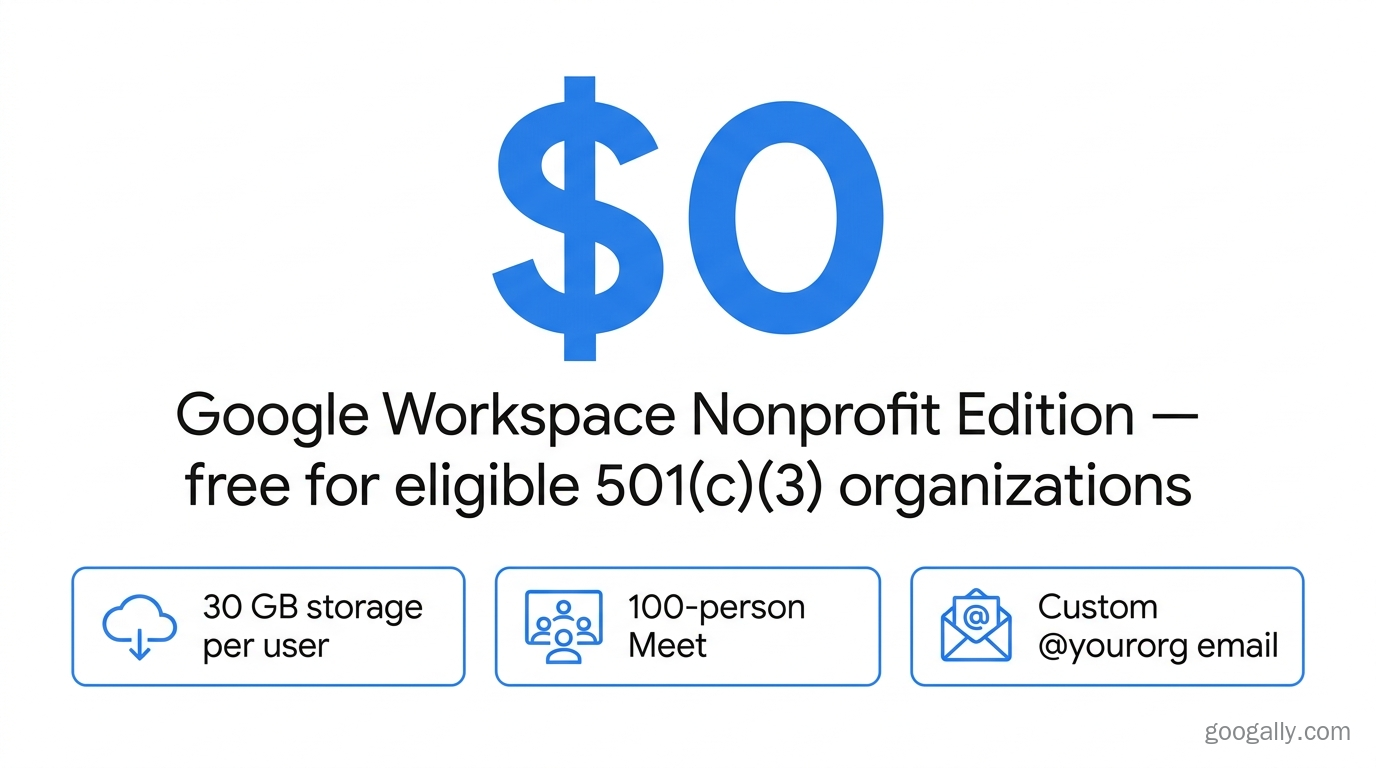
Yes, Google Workspace is free for nonprofits that qualify for the Nonprofit edition. Once your organization is approved through Google for Nonprofits, every user in your domain gets a professional @yourorg.org email address, the full suite of collaboration apps, and cloud storage — with no monthly per-user fee.
The catch is eligibility. Google reserves the free edition for registered charitable organizations: 501(c)(3) status in the United States, or the recognized charity equivalent in other countries. Schools use Google Workspace for Education instead, and certain organization types — hospitals, government entities, and political groups — are excluded. So while the answer to "is Google Workspace free for nonprofits" is a genuine yes, it only applies after your charitable status is verified against Google's official Google for Nonprofits requirements.
What Does the Free Nonprofit Edition Include?
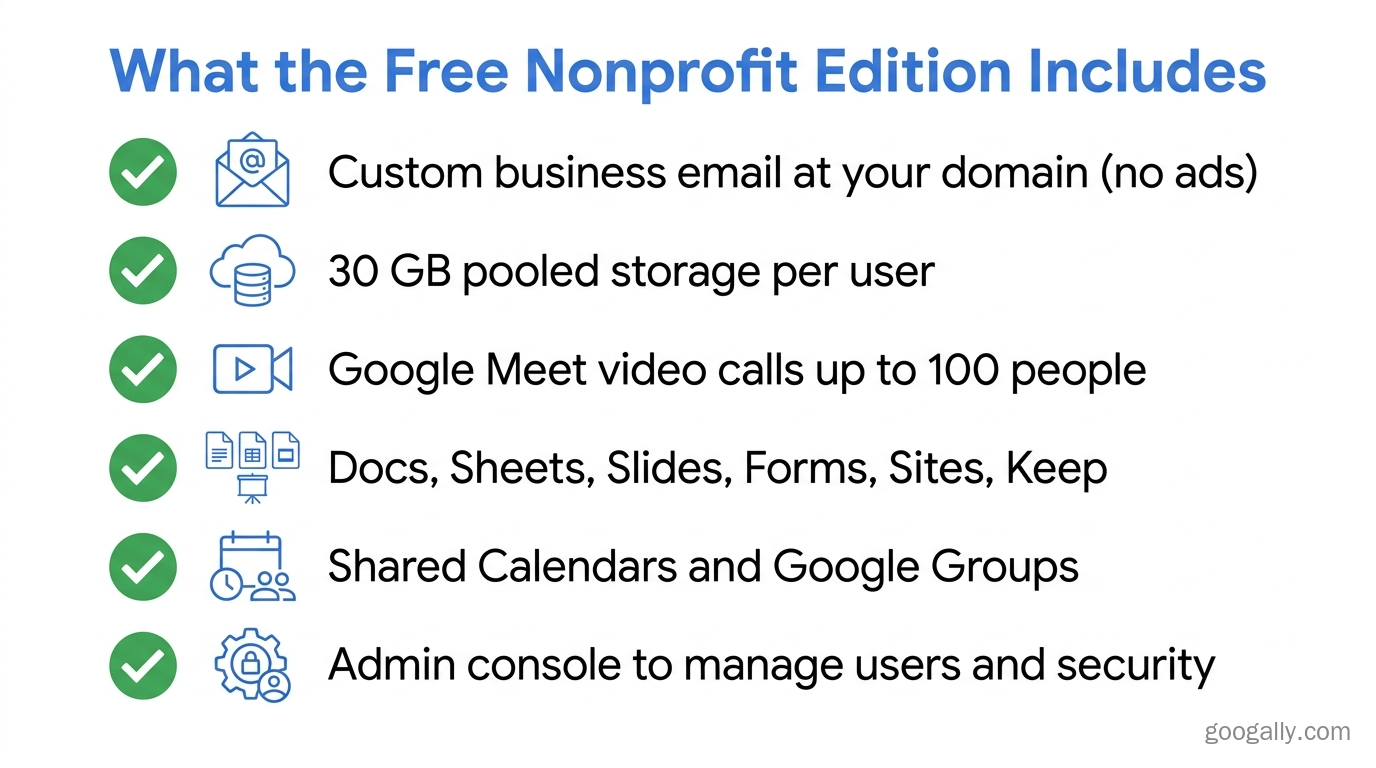
The free Nonprofit edition is built on the same infrastructure as paid Google Workspace, so you get business-grade tools without the invoice. Here's what's included:
- Custom business email at your own domain (Gmail with no ads).
- 30 GB of pooled storage per user shared across Gmail, Drive, and Photos.
- Google Meet video calls for up to 100 participants.
- Docs, Sheets, Slides, Forms, Sites, and Keep for documents and collaboration.
- Shared Calendars and Google Groups for team coordination.
- Admin console to manage users, security, and devices centrally.
For a charity that mainly needs email, shared documents, and the occasional team video call, the free edition is often all you need. In my experience, nonprofits outgrow it when they hit the 30 GB-per-user storage ceiling or need larger, recorded meetings — not because of how many people are on the account. The free edition comfortably supports hundreds of users, so it's your usage, not your headcount, that decides when to upgrade.
What Are the Limits of the Free Edition?
The free tier's boundaries are storage and meeting scale. You get 30 GB pooled per user (not the 2 TB+ that paid Business plans offer), Meet caps at 100 participants with no recording, and you won't get advanced security tools like Google Vault (for retention and eDiscovery) or data loss prevention. There's also no premium support tier. Those gaps are exactly where the paid upgrades come in.
How Much Does Google Workspace Cost for a 501(c)(3)?
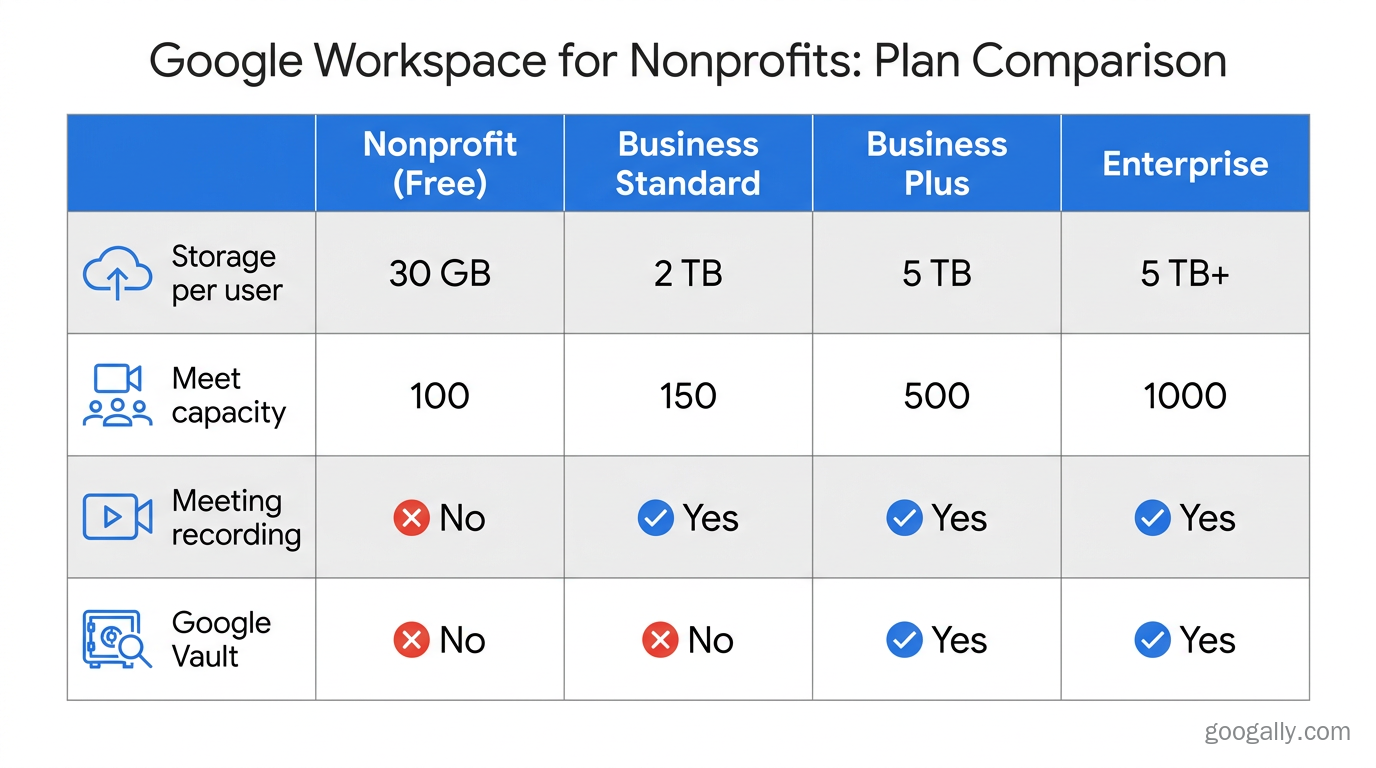
If your nonprofit outgrows the free edition, Google offers discounted paid tiers for 501(c)(3) organizations rather than full commercial pricing. The free edition stays at $0, and upgrades are billed per user per month at nonprofit rates:
| Plan | Storage / user | Meet capacity | Typical nonprofit angle |
|---|---|---|---|
| Nonprofit edition (free) | 30 GB pooled | 100 people | Email + core apps for small teams |
| Business Standard (discounted) | 2 TB pooled | 150 people, recording | Growing teams, more storage & recording |
| Business Plus (discounted) | 5 TB pooled | 500 people, Vault | Compliance, security, larger events |
| Enterprise (discounted) | 5 TB+ pooled | 1,000 people | Advanced DLP, security, and controls |
Exact discounted figures change over time, so confirm current nonprofit pricing in the Google for Nonprofits console before you budget. The practical point: you only pay when you need the extra capacity, and even then it's below standard commercial rates.
If you're comparing what each paid tier actually delivers, our Google Workspace pricing plans breakdown and guide to choosing the best Workspace plan walk through it in detail. And if you're buying a paid plan as a brand-new Workspace customer, you can apply a Google Workspace promo code for 15% off the first 3 months for new customers on Business Starter, Standard, or Plus — savings that stack with the fact that you're already on a nonprofit-friendly track.
Do Nonprofits Have to Pay for Upgrades?
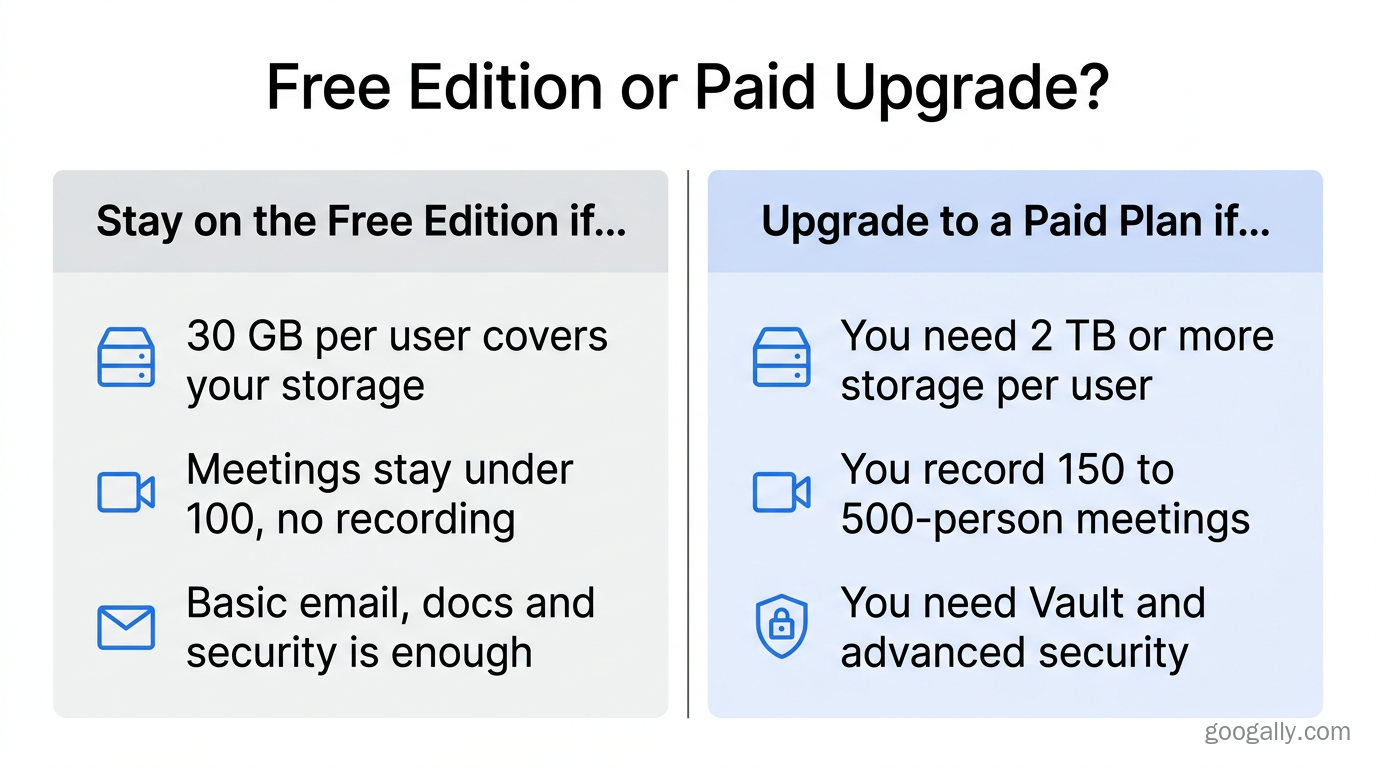
No — upgrading is optional, and most small nonprofits never have to. You pay only if you need something the free edition doesn't offer. The three most common triggers I see are storage, meeting size, and compliance.
Storage is usually first: 30 GB per user fills up fast once a team shares years of photos, grant PDFs, and video. Meeting size is next — the free 100-participant cap and lack of recording become a problem for webinars, virtual galas, or all-hands events. Compliance is the third: nonprofits handling donor financial data or, in health-adjacent work, sensitive personal information often need Vault and stronger security controls, which live in Business Plus and Enterprise.
When Should a Nonprofit Upgrade?
Upgrade when a limit is actively costing you time or risk — not before. A charity that only needs email and small team meetings can stay on the free edition — even with hundreds of accounts — until it actually hits a cap. A nonprofit that records 300-person fundraising webinars or has to retain donor records for audits, on the other hand, should move to Business Plus. If your work touches protected health information, getting the security configuration right matters as much as the plan itself; our guide to making Google Workspace HIPAA compliant covers what "compliant" actually requires beyond just buying a tier.
How Do I Set Up Google Workspace for a Nonprofit?
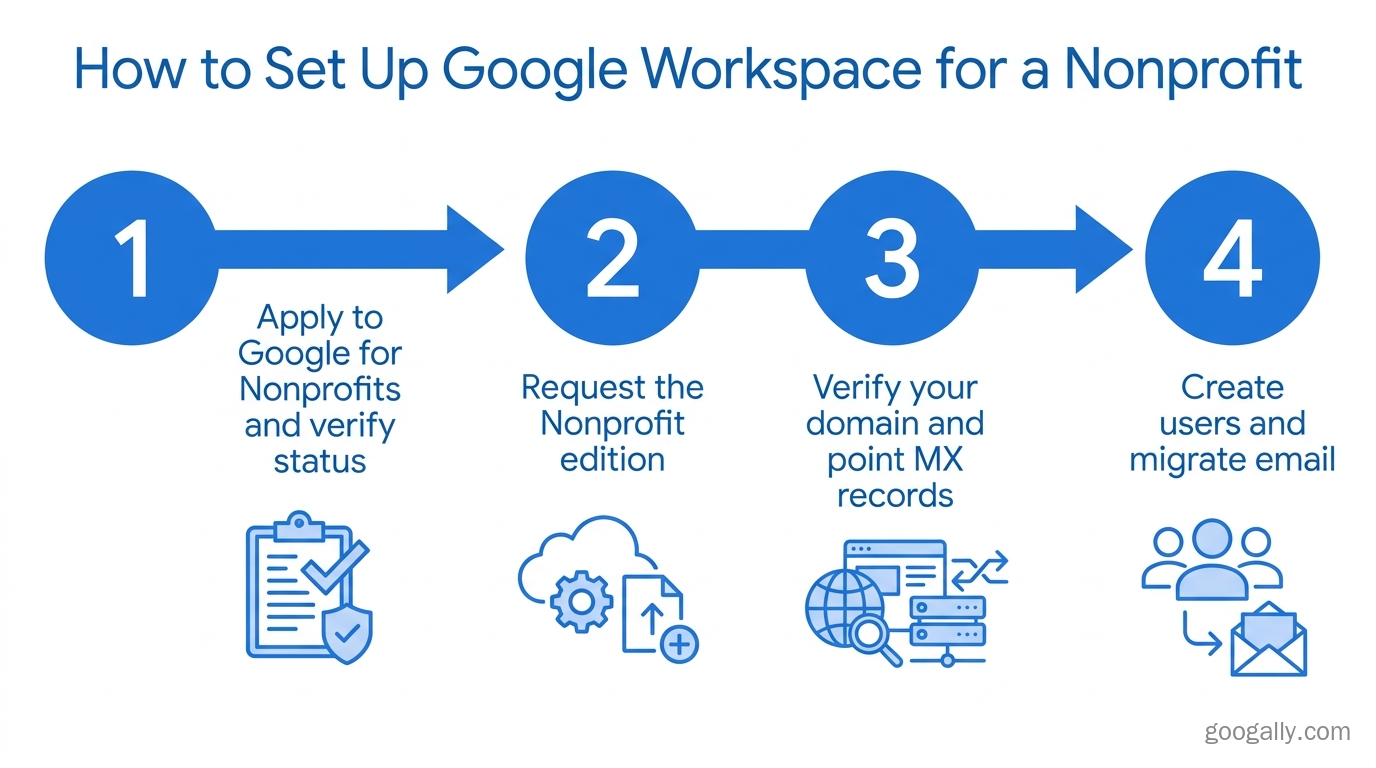
Setting up Google Workspace for a nonprofit takes four steps: verify your status, request the edition, add your domain, then create users. Here's the practical order:
- Confirm eligibility and apply to Google for Nonprofits. Google validates your charitable registration, frequently through a verification partner such as TechSoup. Approval can take a few days.
- Request the Google Workspace for Nonprofits edition from within your approved Google for Nonprofits account.
- Verify your domain. You'll add a TXT or CNAME record at your registrar to prove you own
yourorg.org, then point your MX records to Google so email flows in. - Create user accounts and migrate existing email. Add your team in the Admin console and move mailboxes, contacts, and calendars over from your old provider.
That last step is where organizations most often get stuck. Moving live email without losing messages — or downtime during a busy campaign — takes some care with MX cutover timing. If you'd rather not risk it, our team handles moving your email over to Google Workspace with zero downtime.
What Most Nonprofit Guides Miss
Most articles stop at "it's free — go apply." Two things they skip matter more over time. First, storage is pooled, not per-user on paid plans, so a 20-person nonprofit on Business Standard shares 40 TB collectively rather than being locked to 2 TB each — that changes how you plan for growth. Second, donor and beneficiary data is sensitive, and the free edition's lighter security is fine for general email but thin for financial or health records. Deciding early whether you need Vault, DLP, and audit-ready settings saves a painful reconfiguration later. If you're weighing whether the paid jump is justified at all, our is Google Workspace worth it analysis is a good gut check.
Frequently Asked Questions
Is Google Workspace really free for nonprofits forever?
Yes — the Nonprofit edition has no time limit and no per-user cost, as long as your organization keeps its verified charitable status with Google for Nonprofits. You only pay if you choose to upgrade to a higher tier for more storage or features.
How much does Google Workspace cost for a 501(c)(3) that upgrades?
The Nonprofit edition is free, and paid upgrades (Business Standard, Business Plus, Enterprise) are offered to 501(c)(3)s at discounted per-user rates below standard commercial pricing. Confirm the current figures in the Google for Nonprofits console, since they change over time.
Can any nonprofit qualify for the free edition?
Not all. You generally need registered 501(c)(3) status (or the local charity equivalent). Schools use Workspace for Education instead, and hospitals, government bodies, and political organizations are typically excluded from the free Nonprofit edition.
Do we lose our data if we upgrade from free to a paid plan?
No. Upgrading changes your storage and feature limits, not your content — all existing email, files, and users stay in place. It's a plan change inside the same account, not a migration.
Thinking about Google Workspace for your nonprofit — or moving off an old email provider without the downtime headache? We migrate mission-driven teams onto Workspace and get the security settings right the first time. Talk to the Googally team and we'll map out the cleanest path for your organization.
Related Posts
Explore Tips and Guides! Discover expert insights and practical guides for optimizing your Google Workspace experience with our informative resources.










.png)
.png)
.png)
.png)
.png)
.png)
.png)
.png)


.png)
.png)

.png)




.png)
.png)


.png)


