

Google Workspace Storage Limits: It's Pooled, Not Per-User
When a client on Business Starter pinged me in a panic that Google Drive said “storage full,” the first thing I checked wasn't their files — it was how Google Workspace actually counts storage. I've set up and migrated enough teams at Googally to know most owners picture it wrong. The real rules are simpler, and more generous, than the per-user math people assume.
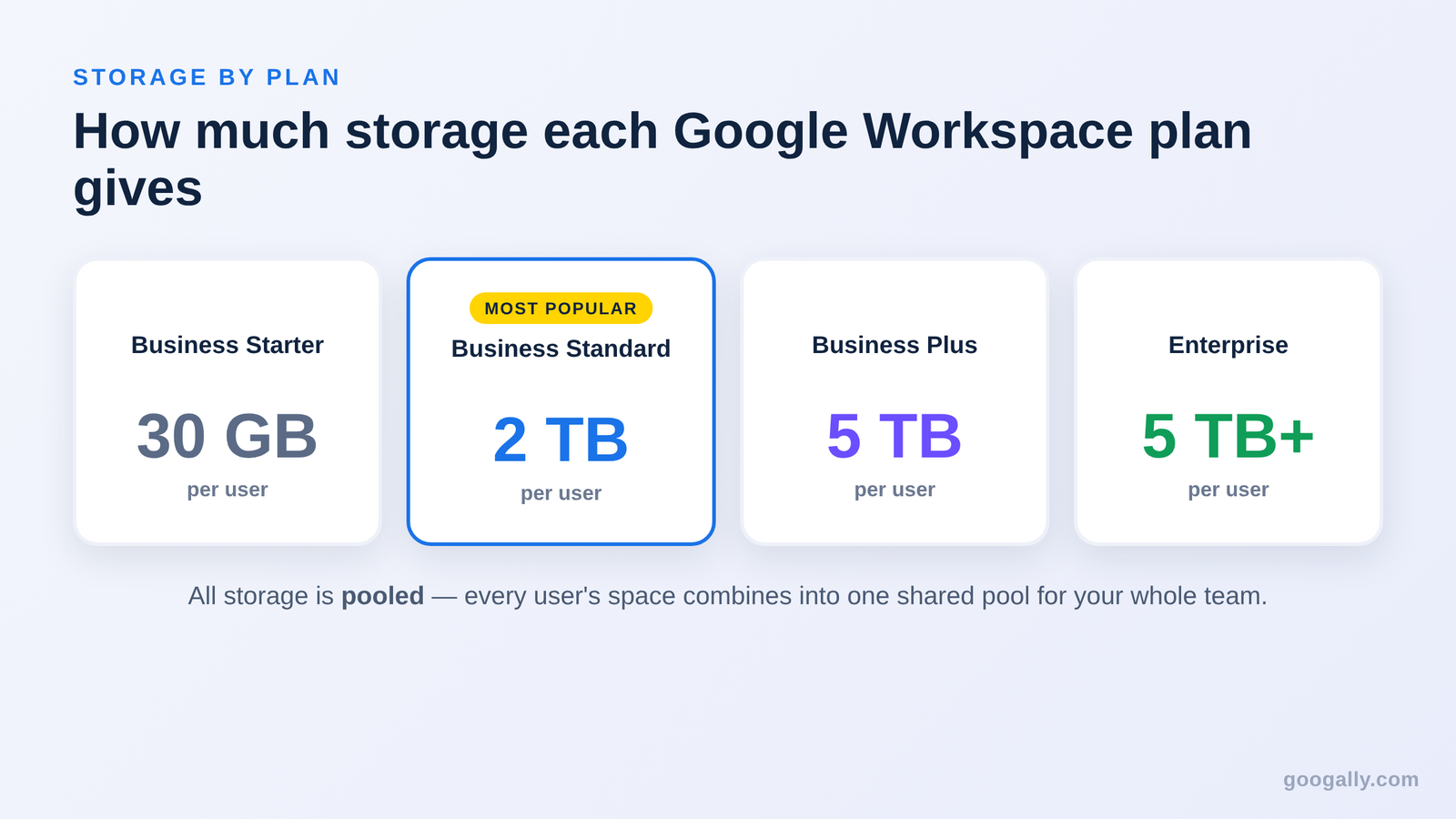
Google Workspace storage is pooled across your whole team. Business Starter gives 30 GB per user, Business Standard 2 TB per user, and Business Plus 5 TB per user — all combined into one shared pool that spans Gmail, Drive, and Google Photos.
That pooled model changes how you should read every plan, and which one actually fits. Here's exactly what each Google Workspace plan holds, what eats into it, and what to do when the pool runs low.
How much storage does each Google Workspace plan include?
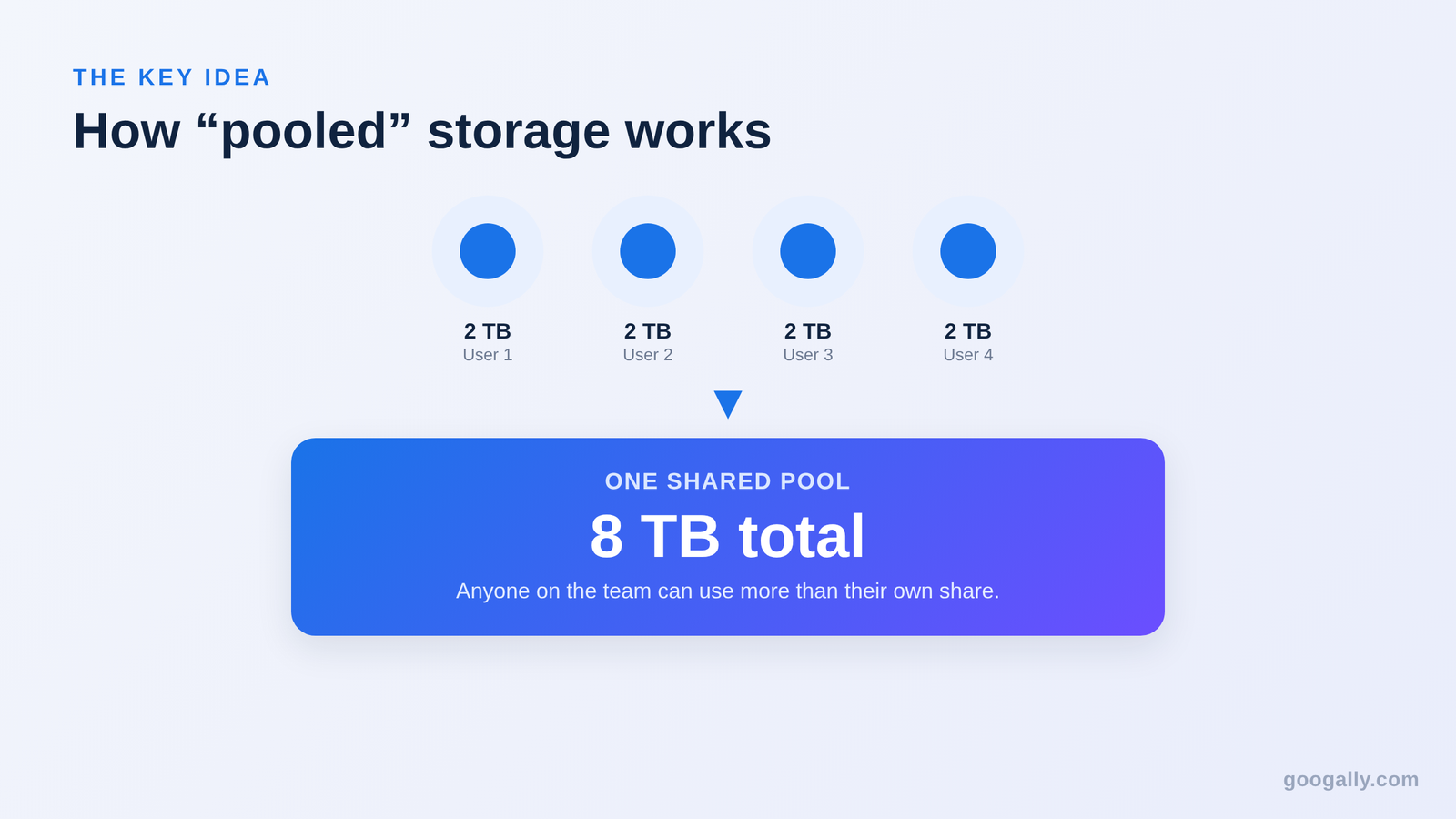
Each business plan sets a storage amount per user, then adds it all into one shared pool. So a five-person team on Business Standard doesn't get five separate 2 TB lockers — they get 10 TB that everyone draws from together.
Here is what the current plans give, per user:
- Business Starter — 30 GB per user. Fine for a small team that lives in email and documents, not big files.
- Business Standard — 2 TB per user. The sweet spot for most small businesses; the jump from Starter is roughly 68 times more room.
- Business Plus — 5 TB per user. For teams that store a lot of video, design files, or long email archives.
- Enterprise — 5 TB per user to start, with more available on request for larger organizations.
Multiply the per-user figure by the number of people on your plan and you have your total pool. Ten users on Business Standard share 20 TB; three users on Business Plus share 15 TB. If you are still weighing which tier to buy, our guide to the best Google Workspace plan walks through the trade-offs beyond storage.
What “pooled storage” actually means for your team
Pooled storage means every person's allotment flows into one shared tank, and any user can draw from that tank as they need it. One team member with a huge video library can use well beyond their own 2 TB “share,” as long as the whole organization stays under the combined total.
This is the single biggest thing owners get wrong. They assume a Business Starter user is hard-capped at 30 GB of personal files. In practice, that 30 GB is just that person's contribution to the pool — the pool is what matters.
The practical upside: you don't have to babysit individual mailboxes. The practical catch: one person uploading terabytes of raw footage can quietly eat into everyone's room. An admin can set a personal storage limit on a heavy user from the Admin console if that ever becomes a problem, but most small teams never need to.
What counts toward your storage
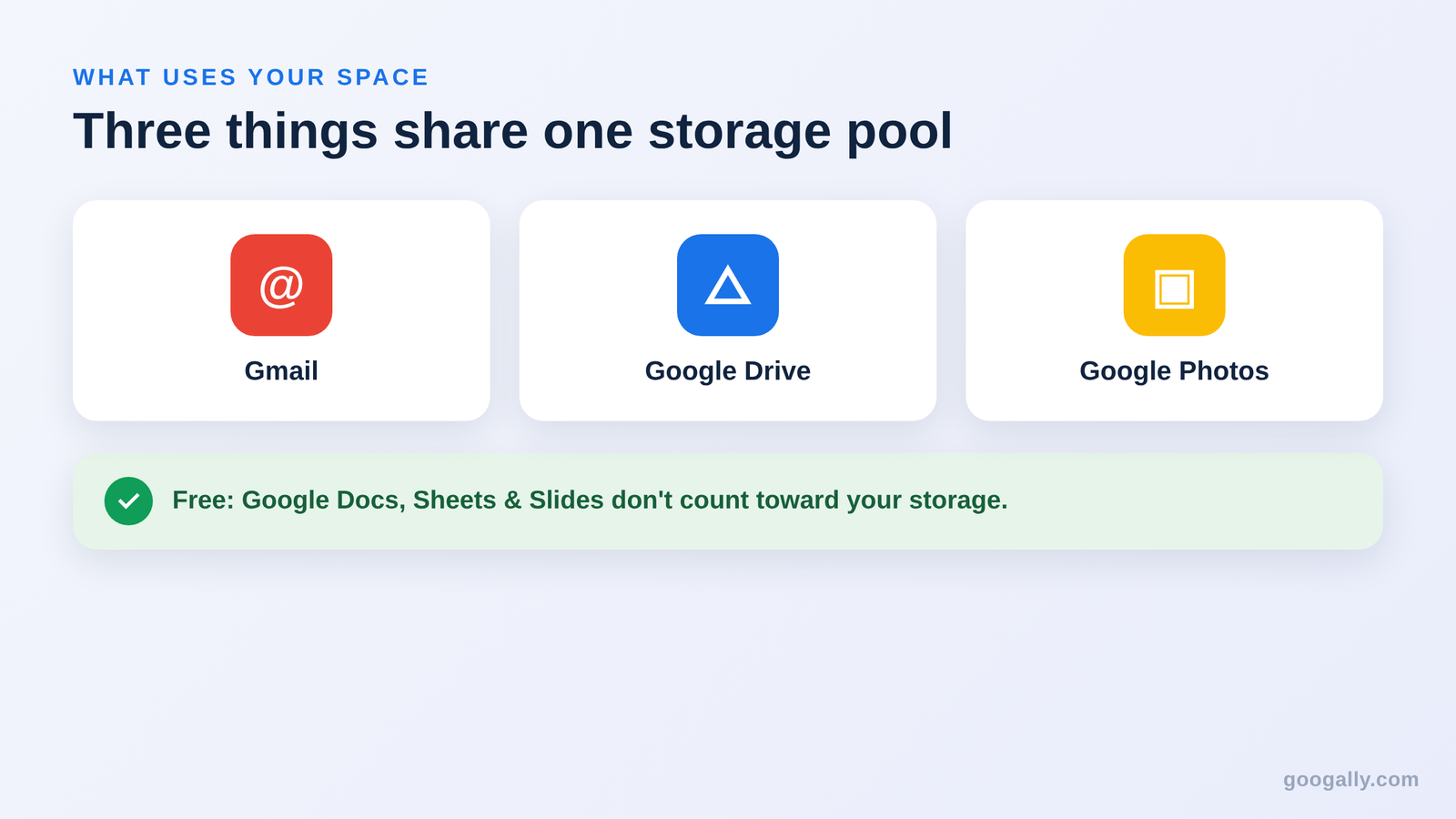
Your Google Workspace storage pool is shared across three places: Gmail, Google Drive, and Google Photos. An email with large attachments, a shared folder of PDFs, and a backed-up phone library all pull from the same number.
A few things that commonly surprise people:
- Gmail counts. Years of attachments and newsletters add up; a bloated inbox is often the real reason a pool fills, not Drive.
- Google Docs, Sheets, and Slides are essentially free. Native Workspace files created in Drive don't count against your storage the way an uploaded Word or Excel file does.
- Trash still counts until it's emptied. Files in your Drive trash keep using space for 30 days unless you delete them sooner.
If a lot of your storage is tied up in old mail and files you can't afford to lose, it's worth pairing your plan with a proper backup of your Google Workspace data so cleanup never means risk.
File size and upload limits you should know
Beyond the total pool, Google Workspace sets a few per-file and per-day limits. For almost every small business these are generous enough that you'll never hit them, but they're worth knowing before a big migration.
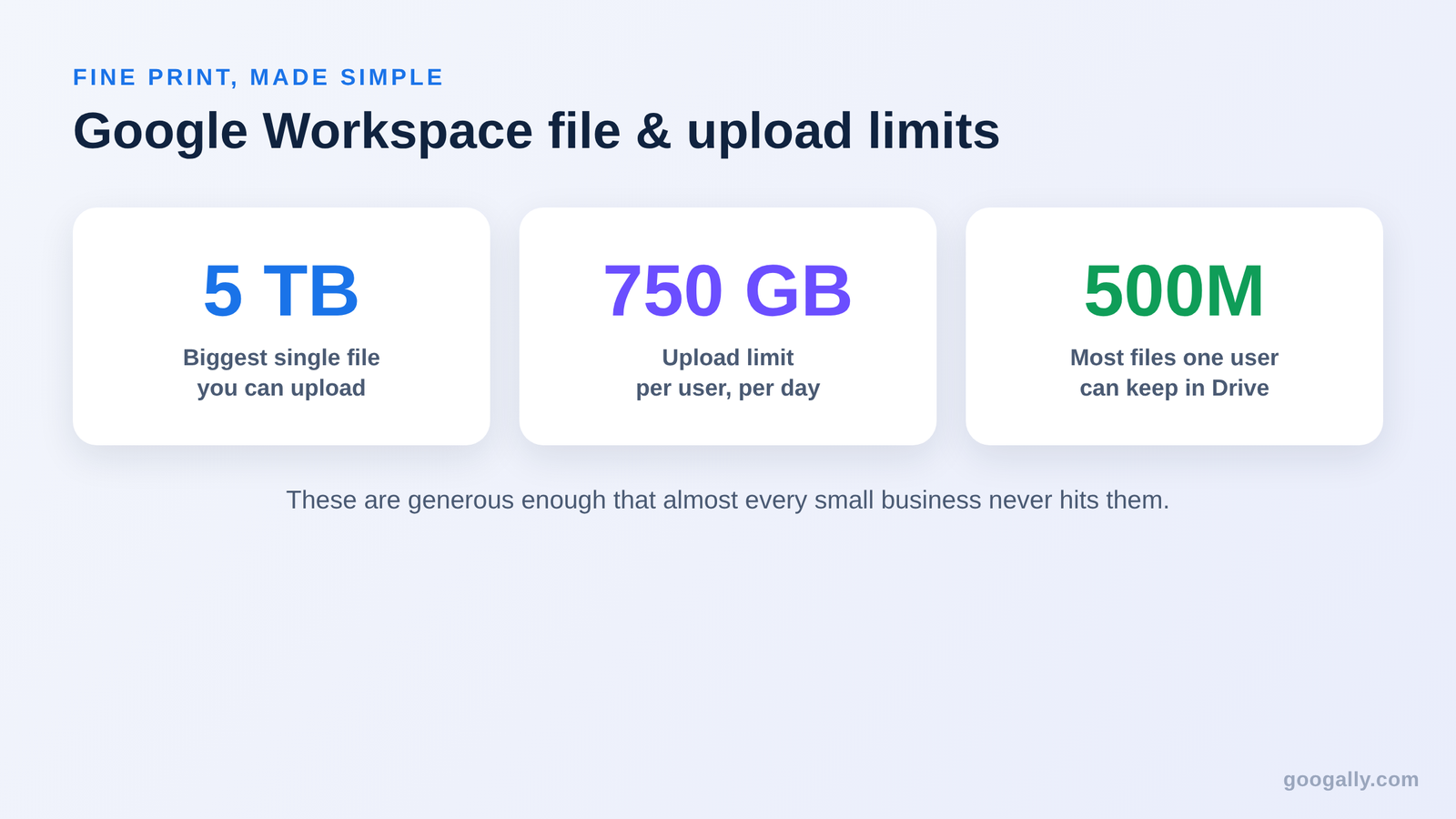
- Maximum file size: 5 TB. You can upload or sync a single file up to 5 TB, assuming your pool has room.
- Daily upload cap: 750 GB per user, per day. Each person can upload or copy up to 750 GB into Drive in a 24-hour window; after that, uploads pause until the window refreshes the next day.
- Item limit: 500 million items. A single user can hold up to 500 million files and folders in Drive — a ceiling no normal business approaches.
- Files over 750 GB can't be copied inside Drive; you'd download and re-upload instead.
The 750 GB daily cap is the only one that occasionally matters, and only during a first-time bulk migration of a huge archive. It simply spreads the upload across a couple of days.
What happens when you run out — and how to get more
When your organization's pool fills up, people can still read and download files, but they can't upload new ones, send or receive Gmail reliably, or create new Drive files until space is freed. It's a soft wall, not lost data — but it stops work, so you want to act before you hit it.
You have three ways out, in order of effort:
- Clean up. Empty Drive trash, clear giant Gmail attachments, and remove duplicate files. This is free and often buys months of room.
- Upgrade your plan. Moving from Business Starter (30 GB/user) to Business Standard (2 TB/user) multiplies your pool overnight — the most common fix for a growing team. You can change your Google Workspace plan from the Admin console in minutes.
- Buy add-on storage. Admins can purchase additional pooled storage on top of the plan when upgrading doesn't fit, without changing everyone's edition.
If you're about to upgrade anyway, do it at a discount. As one of Google's top referring partners, Googally offers a Google Workspace promo code for 15% off the first 3 months for new customers — more than the 12% most partners can offer. It's the cheapest way to move up a tier when your pool gets tight.
Which plan's storage is right for your business?
For most small businesses I work with, the honest answer is Business Standard. Business Starter's 30 GB per user is tight the moment you store more than email and a few documents, and the pooled 2 TB per user on Business Standard removes storage from your worry list for years.

Choose Business Starter only if your team genuinely works in email and native Google Docs with few uploads — a lean consultancy or a brand-new venture. Step up to Business Plus if you routinely handle video, large design assets, or need longer email retention and advanced security. And if you're comparing Workspace storage against a personal Google One plan, our Google Workspace vs Google One breakdown shows why the business pool is the better deal for a team.
Whatever tier you land on, storage shouldn't be the thing that stalls your business. Workspace gives you room that grows as you add people — and a clean upgrade path the day you need more.
Frequently asked questions
Does deleting or suspending a user free up storage?
Deleting a user returns their storage to the pool, but suspending one does not — a suspended account still counts. If you're offboarding someone to reclaim space, fully delete or transfer their data rather than just suspending them.
Do shared drives count toward my storage pool?
Yes. Files in a shared drive use the same organization-wide pool as personal My Drive and Gmail. A shared drive doesn't get its own separate allowance, so a large team drive of videos draws from everyone's total.
Can one user go over 5 TB on Business Plus?
Yes, unless an admin sets a personal cap. Because storage is pooled, an individual can use more than their per-user figure as long as the whole organization stays under the combined total.
What happens to my files if I cancel Google Workspace?
Your data isn't erased the moment you cancel, but access ends and files are eventually deleted after the account closes. Always export or migrate critical Drive and Gmail data before you cancel so nothing is lost.
Does the Google Workspace free trial include full storage?
Yes. The 14-day free trial runs on a real plan with that plan's full per-user storage, so you can test uploads and migration at true capacity before you pay.
Related Posts
Explore Tips and Guides! Discover expert insights and practical guides for optimizing your Google Workspace experience with our informative resources.



















.png)
.png)
.png)
.png)
.png)
.png)
.png)
.png)




.png)
.png)

.png)









.png)
.png)


.png)


